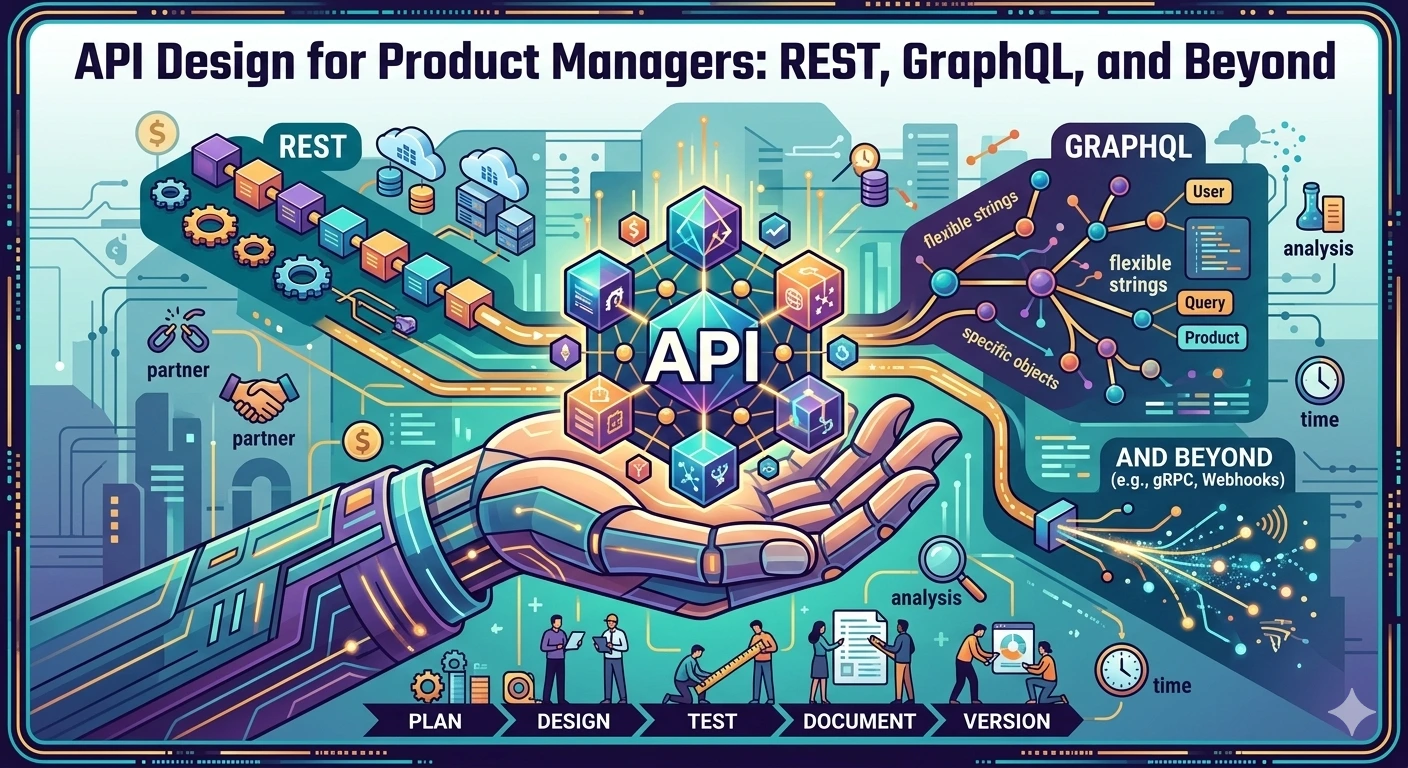
📚 Table of Contents
- The API That Broke a Partnership (And Cost $500K)
- What an API Actually Is (And Why You Should Care)
- REST vs. GraphQL vs. gRPC: The API Design Decision
- API Versioning: The Nightmare That Doesn’t Have to Be
- The Backward Compatibility Rule (And Why It Saves Projects)
- API Contracts: What They Are and Why You Need Them
- Documentation: The Difference Between “Good” and “Great” APIs
- Security Considerations for PMs
- Performance and What It Means for Users
- Common API Design Mistakes (And Their Business Impact)
- Questions to Ask Your Engineering Team
- Making API Decisions: A PM’s Framework
- The Bottom Line
The API That Broke a Partnership (And Cost $500K)
Let me tell you about a $500,000 mistake I witnessed.
We were a B2B SaaS company. We’d spent 6 months negotiating a partnership with a major enterprise customer. The deal was going to be transformative—$2M annual contract, strategic partnership, the works.
The integration was supposed to be simple: “Just connect your order system to our API.” Our engineering team said it would take 3 weeks. I said great, let’s do it.
Six weeks later, we we’re still “integrating.”
Why? Because our API was:
- Inconsistent (same data returned differently depending on which endpoint you called)
- Undocumented (we had to read source code to understand behavior)
- Brittle (breaking changes every few weeks)
- Missing critical data (half the fields we needed weren’t returned)
The customer walked away. They went with a competitor whose API “actually worked.”
The post-mortem revealed: The partnership team spent 400+ hours trying to work around our API issues. At $200/hour loaded cost, that’s $80,000 in wasted engineering time. Plus the $2M annual contract we lost.
Total impact: $500,000+ gone.
The naked truth? This was a preventable. The API was designed by engineers, for engineers. Nobody thought about the external partner experience. Nobody thought about how third parties would actually use the API.
That day, I became obsessed with understanding API design from a product perspective.
What an API Actually Is (And Why You Should Care)
Let’s start with basics.
API = Application Programming Interface
An API is how external systems talk to your application. It’s the contract that defines:
- What data can be requested
- What data will be returned
- How to make those requests
- What happens when things go wrong
Think of it like a restaurant menu:
- The menu tells you what dishes are available
- It tells you the price
- It tells you what ingredients are in each dish
- It doesn’t tell you HOW the cook prepares the food (that’s internal implementation)
API is the menu. Your application’s internal code is the kitchen.
Why PMs Should Care About APIs
1. APIs are Products When external developers use your API, they’re using your product. The API IS the product. A bad API = a bad product experience.
2. APIs Create Lock-in The better your API, the harder it is for partners/customers to switch away. Good APIs create moats. Bad APIs create churn.
3. APIs Impact Development Speed A well-designed API lets partners integrate in days. A poorly designed API takes weeks or This directly impacts time-to-value.
4. APIs Have Maintenance Costs Every API endpoint you create is technical debt. Poor design = more debt. More debt = slower development, higher costs.
The API Business Model Canvas
┌─────────────────────────────────────────────────────────┐
│ API BUSINESS MODEL CANVAS                           │
├─────────────────────────────────────────────────────────┤
│                                                     │
│  CONSUMERS          │  REVENUE MODEL                │
│  (Who uses the API?)  │  (How do we monetize?)           │
│                                                     │
│  • Partners          │  • Free tier                 │
│  • Customers         │  • Usage-based pricing          │
│  • Internal teams    │  • Enterprise contracts          │
│  • Mobile apps       │  • Partner revenue share           │
│                                                     │
│  VALUE PROPOSITION   │  COMPETITIVE LANDSCAPE            │
│  (Why use our API?)   │  (What alternatives exist?)          │
│                                                     │
│  • Integration        │  • Build vs buy decision           │
│  • Automation         │  • Switching costs                  │
│  • Data access         │  • Market positioning              │
│                                                     │
│  SUCCESS METRICS    │  SUPPORT MODEL                     │
│  (How do we measure?) │  (What help is available?)             │
│                                                     │
│  • API calls/usage    │  • Documentation quality           │
│  • Integration time   │  • Response time support           │
│  • Error rates        │  • Developer community size         │
│  • Retention           │                              │
└─────────────────────────────────────────────────────────┘
REST vs. GraphQL vs. gRPC: The API Design Decision
Let’s break down the three main API styles.
REST (Representational State Transfer)
What it is: The most common API style. Uses HTTP methods (GET, POST, PUT, DELETE) to operate on resources.
Example:
GET /users/123          → Get user with ID 123
POST /users              → Create a new user
PUT /users/123           → Update user 123
DELETE /users/123        → Delete user 123
GET /users/123/orders   → Get orders for user 123
Pros:
- ✅ Universal (every language supports it)
- ✅ Stateless (each request is independent)
- ✅ Cacheable (easy to use CDNs)
- ✅ Debuggable (can test with curl/Postman)
- ✅ Widely understood (lots of developers know it)
Cons:
- ❌ Over-fetching (get more data than needed)
- ❌ Under-fetching (need multiple requests for related data)
- ❌ Multiple round trips (N+1 problem)
- ❌ Inconsistent naming conventions
Best for: Public APIs, mobile apps, simple CRUD operations, when you need broad compatibility
GraphQL
What it is: A query language for APIs. Clients specify exactly what data they need.
Example:
query GetUserWithOrders {
  user(id: 123) {
    name
    email
    orders {
      id
      total
      status
    }
  }
}
Response:
{
  "data": {
    "user": {
      "name": "John Doe",
      "email": "john@example.com",
      "orders": [
        {"id": 1, "total": 99.99, "status": "completed"},
        {"id": 2, "total": 149.99, "status": "pending"}
      ]
    }
  }
}
Pros:
- ✅ No over-fetching (get exactly what you need)
- ✅ No under-fetching (single request for all data)
- ✅ Flexible (frontend controls data shape)
- ✅ Self-documenting (schema is queryable)
- ✅ Great for complex, related data
Cons:
- ❌ Complex backend implementation
- ❌ Caching is harder
- ❌ Can enable expensive queries (need rate limiting)
- ❌ Learning curve for developers
- ❌ Not all languages have great client libraries
Best for: Complex data relationships, mobile apps with varying data needs, internal APIs, when frontend team wants flexibility
gRPC
What it is: High-performance RPC framework using Protocol Buffers. Binary protocol, not text-based.
Example:
service OrderService {
  rpc CreateOrder (CreateOrderRequest) returns (Order);
  rpc GetOrder (GetOrderRequest) returns (Order);
}

message CreateOrderRequest {
  string user_id = 1;
  repeated Item items = 2;
}

message Order {
  string id = 1;
  string status = 2;
  double total = 3;
}
Pros:
- ✅ Extremely fast (binary serialization)
- ✅ Type-safe (code generated from schema)
- ✅ Bi-directional streaming
- ✅ Strong contracts (schema enforced)
- ✅ Efficient for internal services
Cons:
- ❌ Not browser-friendly (needs gRPC-web)
- ❌ Harder to debug (binary, not human-readable)
- ❌ Limited browser support
- ❌ Not cacheable by proxies
- ❌ Steeper learning curve
Best for: Internal microservices communication, high-performance requirements, when you control both sides of the API
Decision Matrix
| Factor | REST | GraphQL | gRPC |
|---|---|---|---|
| Public API? | ✅ Best | ⚠️ Good | ❌ Avoid |
| Internal services? | ✅ Good | ⚠️ Good | ✅ Best |
| Mobile app? | ✅ Good | ✅ Best | ❌ Avoid |
| Browser client? | ✅ Best | ✅ Best | ❌ Hard |
| High performance critical? | ❌ No | ⚠️ Good | ✅ Best |
| External developers? | ✅ Best | ⚠️ Good | ❌ Avoid |
| Team expertise? | ✅ High | ⚠️ Medium | ❌ Low |
My recommendation:
- Public/partner API: REST (maximum compatibility)
- Internal API (microservices): gRPC (maximum performance)
- Mobile/frontend API: GraphQL (maximum flexibility)
API Versioning: The Nightmare That Doesn’t Have to Be
Here’s the scenario that keeps PMs up at night:
Month 1: Launch API v1. Partners start integrating.
Month 3: Need to change the API. Rename a field. Remove an endpoint.
Month 4: Partners’ integrations break. Support tickets flood in. “Your API changed!”
This is the versioning problem.
Versioning Strategies
Strategy 1: URL Versioning
/api/v1/users/123
/api/v2/users/123
Pros: Simple, explicit, easy to test
Cons: Multiple codebases to maintain
Strategy 2: Header Versioning
GET /users/123
Accept: application/vnd.myapi.v2+json
Pros: Single URL, flexible
Cons: Easy to forget header
Strategy 3: Query Parameter
GET /users/123?version=2
Pros: Simple, easy to test
Cons: Not as clean
The Golden Rule of API Versioning
Never break existing integrations.
When you need to change an API:
OLD: GET /api/v1/users/{id}
Response: { "name": "John", "email": "john@example.com" }

NEW: GET /api/v2/users/{id}
Response: { "full_name": "John Doe", "email_address": "john@example.com", "created_at": "2024-01-01" }
But keep v1 working:
GET /api/v1/users/{id}
Response: Still works! Returns old format

GET /api/v2/users/{id}
Response: New format with new fields
Deprecation timeline:
- Launch v2 alongside v1
- Document v1 as deprecated
- Communicate migration timeline to partners
- Monitor v1 usage
- Set sunset date for v1
- Eventually remove v1 (after 12+ months)
The Backward Compatibility Rule (And Why It Saves Projects)
If you break an API, you break trust.
What “Breaking” Means
Breaking changes:
- Removing an endpoint
- Renaming a field
- Changing a field’s type (string → number)
- Making a required field optional
- Changing error response format
Non-breaking changes:
- Adding a new endpoint
- Adding a new field to response
- Making an optional field required (usually)
- Adding optional parameters
The Business Impact of Breaking Changes
| Impact | Small Partner | Enterprise Partner | Internal Team |
|---|---|---|---|
| Integration time | Hours | Days-weeks | Hours-days |
| Support cost | Low | High | Medium |
| Relationship damage | Medium | High | Low |
| Revenue impact | Low | High | Medium |
How to Handle Breaking Changes
1. Never break, always add
Version 1: { "name": "John" }
Version 2: { "name": "John", "full_name": "John Doe" }  // Added field, old still works
Version 3: { "full_name": "John Doe", "name": "John" }  // Both work
Version 4: { "full_name": "John Doe" }  // "name" deprecated, still returned
Version 5: { "full_name": "John Doe" }  // "name" removed after migration period
2. Communicate early and often
- 6 months notice before breaking change
- Monthly reminders as deadline approaches
- Clear migration guide
- Active support during transition
3. Provide migration tools
- Sample code for new API
- Migration script
- Testing environment
- Clear documentation
API Contracts: What They Are and Why You Need Them
API Contract = The agreement between API provider and consumer
What Goes in an API Contract?
API Contract: User Service

Endpoints:
  - GET /users/{id}
    Description: Retrieve a user by ID
    Parameters:
      - id (path, required): User identifier
    Response:
      - 200 OK: User object
      - 404 Not Found: User doesn't exist
      - 400 Bad Request: Invalid ID format
    Rate Limit: 100 requests/minute

    Authentication: Required (Bearer token)

    Schema:
      User:
        - id: string (UUID format)
        - name: string (max 100 chars)
        - email: string (valid email format)
        - created_at: string (ISO 8601 date)
        - status: enum (active, inactive, suspended)
Why API Contracts Matter
1. Reduce ambiguity Without a contract, developers guess. With a contract, developers know.
2. Enable automation Contracts can be used to generate:
- Client SDKs
- Documentation
- Tests
- Mock servers
3. Prevent drift When someone wants to change the API, they must update the contract first. This forces consideration of impact.
4. Enable governance You can review contract changes the same way you review code changes.
Tools for API Contracts
| Tool | Best For |
|---|---|
| OpenAPI/Swagger | REST APIs, documentation |
| GraphQL Schema | GraphQL APIs |
| Protocol Buffers | gRPC APIs |
| JSON Schema | JSON validation |
| TypeSpec | AsyncAPI, modern REST |
My recommendation: OpenAPI for REST APIs. It’s industry standard, widely supported, and generates great documentation.
Documentation: The Difference Between “Good” and “Great” APIs
Good API Documentation
- Lists endpoints
- Shows parameters
- Shows response format
- Includes examples
Great API Documentation
- Getting started guide (5-minute setup)
- Authentication guide (how to get credentials)
- Error reference (all possible errors with solutions)
- Rate limits (what happens when limits exceeded)
- Best practices (recommended patterns)
- Changelog (history of changes)
- SDKs (client libraries for popular languages)
- Postman collection (ready-to-import testing)
- Status page (real-time API status)
The Documentation Test
Can a developer:
- Make their first API call in under 5 minutes?
- Understand error responses without trying?
- Know the rate limits before hitting them?
- Debug an issue using only the docs?
If any answer is “no,” your documentation needs improvement.
Security Considerations for PMs
You don’t need to be a security expert. But you need to ask the right questions.
The API Security Checklist
| Concern | Question | Why It Matters |
|---|---|---|
| Authentication | How do callers prove identity? | Prevents unauthorized access |
| Authorization | How do we control what each caller can do? | Limits damage from breaches |
| Rate Limiting | How do we prevent abuse? | Protects availability, controls costs |
| Encryption | Is data encrypted in transit? | Prevents data interception |
| Input Validation | How do we prevent injection attacks? | Prevents security vulnerabilities |
| Audit Logging | Do we know who did what? | Enables forensics, compliance |
| Secrets Management | How are API keys stored? | Prevents credential leaks |
Questions to Ask
- “How do partners authenticate? (API keys, OAuth, JWT?)”
- “What rate limiting do we have?”
- “Is all traffic encrypted? (HTTPS required?)”
- “How do we handle API key rotation?”
- “What happens if an API key is compromised?”
Performance and What It Means for Users
API performance = User experience
The Performance Metrics That Matter
| Metric | Good | Great | Impact |
|---|---|---|---|
| Latency (P50) | <500ms | <100ms | Users don’t notice |
| Latency (P95) | <1s | <300ms | Most users don’t notice |
| Latency (P99) | <3s | <1s | Nearly all users don’t notice |
| Throughput | 100 req/s | 1000 req/s | Handles scale |
| Error Rate | <5% | <1% | Reliable experience |
| Availability | 99% | 99.9% | Always there when needed |
The Business Impact of API Performance
Slow API = Lost revenue
Scenario: E-commerce checkout API
- P50 latency: 200ms → Checkout completion: 4 seconds
- P50 latency: 2s → Checkout completion: 6 seconds → 12% higher abandonment

For every 100ms added latency, conversion drops 2-4%.
Questions to ask:
- “What’s our P95 latency right now?”
- “How does latency affect our key user flows?”
- “What would happen if latency doubled?”
- “Do we have performance SLOs?”
Common API Design Mistakes (And Their Business Impact)
Mistake 1: Inconsistent Naming
Problem: user_id, userId, user-id, uid — all in the same API
Business Impact: Developers waste hours figuring out which to use. More support tickets. Slower integrations.
Fix: Pick ONE convention and document it. Enforce with linter/validation.
Mistake 2: Over-fetching
Problem: API returns entire database record when client only needs ID and name
Business Impact: Wasted bandwidth. Slower responses. Higher costs.
Fix: Support field selection (?fields=id,name) or use GraphQL.
Mistake 3: Under-fetching
Problem: API returns minimal data, requiring multiple calls to get complete picture
Business Impact: More API calls. Higher costs. Slower integrations.
Fix: Include common expansions or support GraphQL.
Mistake 4: Poor Error Messages
Problem: { "error": "Invalid request" } with no details
Business Impact: Developers waste hours debugging. More support tickets. Integration delays.
Fix: Include error code, message, field-specific errors, request ID for debugging.
{
  "error": {
    "code": "VALIDATION_ERROR",
    "message": "Invalid email format",
    "field": "email",
    "request_id": "req_abc123"
  }
}
Questions to Ask Your Engineering Team
About Current APIs
- “What APIs do we expose to external partners?”
- “What’s our versioning strategy?”
- “How do we handle breaking changes?”
- “What’s our backward compatibility commitment?”
About API Quality
- “What’s our API uptime?”
- “What’s our average response time?”
- “What error rate is acceptable?”
- “How do we handle rate limiting?”
About API Documentation
- “Where is our API documentation?”
- “How do we keep docs in sync with code?”
- “Do we have a getting started guide?”
- “How do developers test against our API?”
Making API Decisions: A PM’s Framework
The API Decision Canvas
┌─────────────────────────────────────────────────────────┐
│ API DECISION CANVAS                                 │
├─────────────────────────────────────────────────────────┤
│                                                     │
│  1. WHO uses this API?                              │
│     - External partners? Internal teams? Mobile apps?  │
│     - How many? What's their skill level?               │
│                                                     │
│  2. WHAT style should it be?                         │
│     - REST for broad compatibility?                   │
│     - GraphQL for flexibility?                        │
│     - gRPC for internal performance?                  │
│                                                     │
│  3. WHAT do they need to do?                          │
│     - Simple CRUD? Complex queries? Real-time?        │
│     - How much data? How often?                      │
│                                                     │
│  4. HOW will we maintain it?                         │
│     - Versioning strategy?                           │
│     - Breaking change policy?                         │
│     - Documentation ownership?                        │
│                                                     │
│  5. HOW will we measure success?                      │
│     - Adoption rate? Integration time? Error rate?   │
│     - Support tickets? Partner satisfaction?         │
│                                                     │
└─────────────────────────────────────────────────────────┘
The Decision Process
New API request
       ↓
Fill out API Decision Canvas
       ↓
Review with Engineering Lead
       ↓
Document in API Contract
       ↓
Build with versioning in mind
       ↓
Create documentation
       ↓
Launch with monitoring
The Bottom Line
APIs are products. They need product management.
Good API design creates:
- Partners who integrate quickly
- Lower support costs
- Revenue growth through ecosystem
- Developer trust and loyalty
Bad API design creates:
- Integration nightmares
- Wasted engineering time
- Lost partnerships
- Technical debt that compounds
Your role as PM:
- Understand the API’s purpose and users
- Make design decisions based on business impact
- Ensure documentation meets developer needs
- Establish versioning and breaking change policies
- Monitor API success metrics
The engineers will build the API. But you define what “good” looks like.
What’s your API horror story? What would you do differently?
Related Reading:
💬 Join the Conversation