📚 Table of Contents
- The $2.6 Million Typo That Changed How We Deploy
- Why Your Deployment Strategy Matters More Than You Think
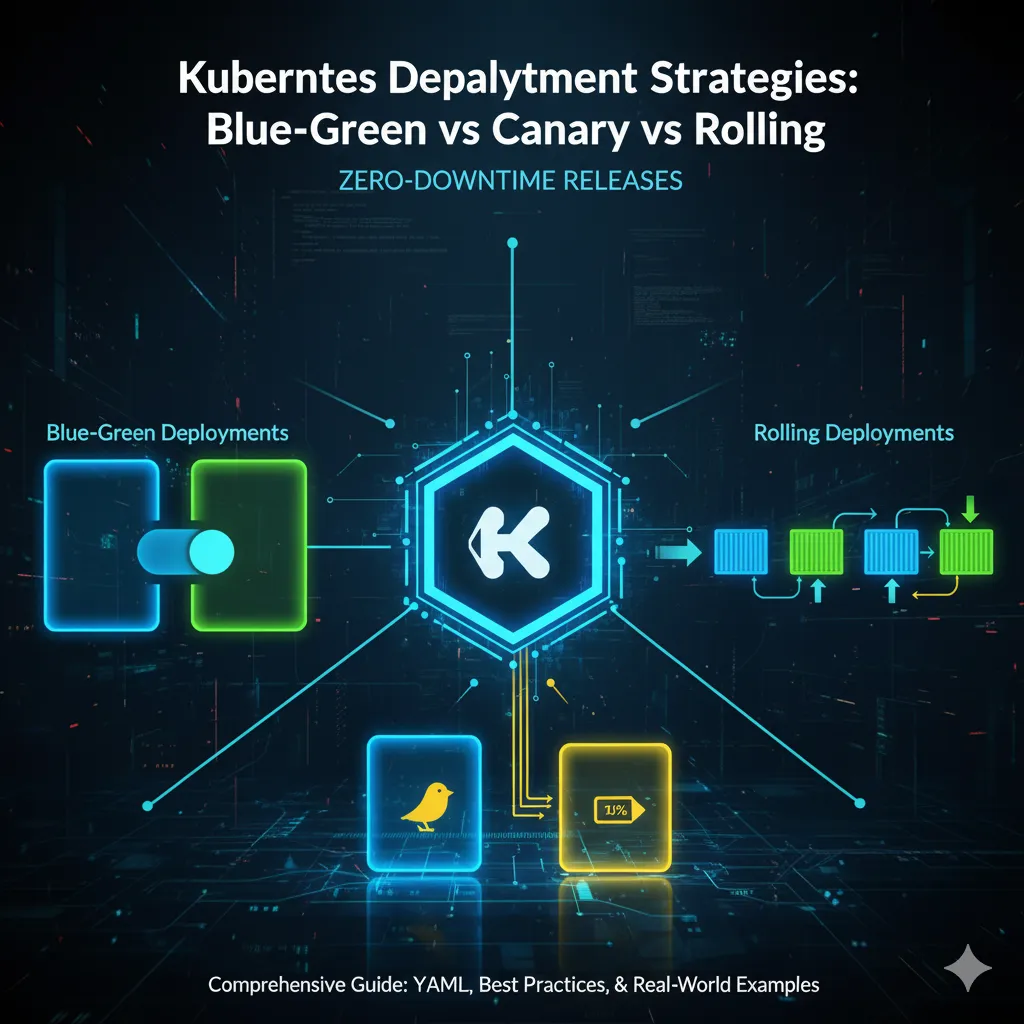
- The Three Deployment Strategies Explained
- Visual Comparison: How Each Strategy Works
- Deep Dive: Blue-Green Deployments
- Deep Dive: Canary Deployments
- Advanced: Progressive Delivery with Argo Rollouts
- Decision Framework: Choosing Your Strategy
- Real-World Case Studies
- Cost Analysis: What Each Strategy Actually Costs
- Monitoring and Observability
- Rollback Strategies
- Common Mistakes and How to Avoid Them
- Implementation Checklist
- Frequently Asked Questions
- Conclusion: Your Deployment Evolution Path
The $2.6 Million Typo That Changed How We Deploy
January 15, 2023. A single-character typo in a database migration script hit production at a fintech company. Within 3 minutes, 47,000 user accounts were corrupted. The rolling deployment had already pushed the bad code to 80% of servers before anyone noticed.
The damage:
- 6 hours of downtime
- $2.6 million in lost transactions
- Regulatory fines
- Weeks rebuilding customer trust
The irony? They could have prevented it with a proper deployment strategy. The bug would have affected only 5% of users (canary deployment) or zero users (blue-green with proper testing).
This guide ensures you never experience that 3 AM panic call.
Why Your Deployment Strategy Matters More Than You Think
Most developers think: “We use Kubernetes, so deployments are automatically safe.”
Reality check:
kubectl apply -f deployment.yaml
# Your default rolling deployment just:
# - Exposed users to partially deployed code
# - Mixed old and new API versions
# - Made rollback slow and risky
The truth: Kubernetes gives you orchestration, not safety. You need the right deployment strategy.
What’s at stake:
| Risk | Without Strategy | With Strategy |
|---|---|---|
| User Impact | All users affected | 5-10% or zero users |
| Downtime | Minutes to hours | Zero downtime |
| Rollback Time | 10-30 minutes | 10-60 seconds |
| Detection Time | After user complaints | Before wide release |
| Revenue Loss | $10K-$1M+ | Minimal |
The Three Deployment Strategies Explained
Rolling Deployment: The Default (and When It Fails)
What Happens:
Old: [v1] [v1] [v1] [v1] [v1]
     └─────────────────────────> Gradually replaced

Step 1: [v2] [v1] [v1] [v1] [v1]
Step 2: [v2] [v2] [v1] [v1] [v1]
Step 3: [v2] [v2] [v2] [v1] [v1]
Step 4: [v2] [v2] [v2] [v2] [v1]
Final:  [v2] [v2] [v2] [v2] [v2]
Kubernetes Default:
strategy:
  type: RollingUpdate
  rollingUpdate:
    maxUnavailable: 1
    maxSurge: 1
Pros:
- ✅ Built into Kubernetes
- ✅ Zero additional infrastructure
- ✅ Gradual rollout reduces blast radius
- ✅ No downtime (if configured correctly)
Cons:
- ❌ Both versions run simultaneously
- ❌ Difficult to test before full deployment
- ❌ Slow rollback (reverse rolling update)
- ❌ Database migrations are problematic
When It Fails:
- Version incompatibility: v1 and v2 share a database but expect different schemas
- Stateful issues: User sessions bounce between versions
- API breaking changes: Old clients call new APIs (or vice versa)
Real Example That Failed:
# E-commerce checkout service
# v1: Prices in cents (integer)
# v2: Prices in dollars (float)
# During rolling update:
# - v1 writes: 1999 (cents)
# - v2 reads: 1999.00 (dollars!)
# - User charged $1,999 instead of $19.99
Blue-Green Deployment: The Safety Net
What Happens:
Blue (v1):  [v1] [v1] [v1] [v1] [v1]  ← 100% traffic
Green (v2): [v2] [v2] [v2] [v2] [v2]  ← 0% traffic (testing)

                ↓ Switch traffic ↓

Blue (v1):  [v1] [v1] [v1] [v1] [v1]  ← 0% traffic (standby)
Green (v2): [v2] [v2] [v2] [v2] [v2]  ← 100% traffic
Key Insight: Only ONE environment serves traffic at a time.
Pros:
- ✅ Instant rollback (flip traffic back)
- ✅ Test in production environment before release
- ✅ Zero version mixing
- ✅ Smoke test against real data
Cons:
- ❌ Requires double infrastructure (temporary)
- ❌ Database migrations still tricky
- ❌ All users switch at once (higher risk than canary)
Perfect For:
- Major version releases
- Database schema changes
- Black Friday / high-traffic events
- When instant rollback is critical
Canary Deployment: The Risk Minimizer
What Happens:
Stable (v1): [v1] [v1] [v1] [v1] [v1]  ← 90% traffic
Canary (v2): [v2]                       ← 10% traffic

Monitor metrics for 15 minutes ↓

If metrics good:
  Stable (v1): [v1] [v1] [v1]           ← 50% traffic
  Canary (v2): [v2] [v2]                ← 50% traffic

Monitor again ↓

If still good:
  Stable (v1): (terminated)             ← 0% traffic
  Canary (v2): [v2] [v2] [v2] [v2] [v2] ← 100% traffic
Key Insight: Gradual, monitored rollout with automatic rollback.
Pros:
- ✅ Minimal user impact if bugs exist
- ✅ Real-world testing with actual users
- ✅ Automatic rollback based on metrics
- ✅ Best risk/reward ratio
Cons:
- ❌ Requires sophisticated monitoring
- ❌ More complex to implement
- ❌ Longer deployment time
- ❌ Needs traffic splitting capability
Perfect For:
- Continuous deployment pipelines
- Microservices architectures
- When you deploy 10+ times per day
- User-facing features
Visual Comparison: How Each Strategy Works
ROLLING DEPLOYMENT
Timeline: 0────5────10───15 minutes
Traffic:  ████████████████████████
v1:       ████████▓▓▓▓▒▒▒▒░░░░
v2:       ░░░░▒▒▒▒▓▓▓▓████████████
Risk:     ▲▲▲▲▲▲▲▲ (high during transition)

BLUE-GREEN DEPLOYMENT
Timeline: 0─────────────15──16 minutes
Traffic:  ████████████████│█│
Blue v1:  ████████████████│ │
Green v2:                 │█│██████
Risk:     ─────────────────▲ (instant switch)

CANARY DEPLOYMENT
Timeline: 0────10───20───30───40 minutes
Traffic:  ████████████████████████████
v1:       ████████████▓▓▓▓░░░░
v2:       ░░░░▒▒▒▒▓▓▓▓████████████████
Risk:     ░░▒▒▓▓ (gradual, monitored)
Deep Dive: Blue-Green Deployments
How Blue-Green Works
Think of blue-green like having two identical production environments:
- Blue (current): Serves 100% of traffic
- Green (new): Deployed but receives no user traffic
- Test green with smoke tests, synthetic transactions
- Switch traffic from blue to green instantly
- Keep blue running for quick rollback if needed
- Terminate blue after green proves stable
Complete Blue-Green Implementation
Step 1: Deploy Blue Environment
# blue-deployment.yaml
apiVersion: apps/v1
kind: Deployment
metadata:
  name: myapp-blue
  labels:
    app: myapp
    version: blue
spec:
  replicas: 3
  selector:
    matchLabels:
      app: myapp
      version: blue
  template:
    metadata:
      labels:
        app: myapp
        version: blue
    spec:
      containers:
      - name: myapp
        image: myapp:v1.0.0
        ports:
        - containerPort: 8080
        env:
        - name: VERSION
          value: "blue-v1.0.0"
        resources:
          requests:
            memory: "256Mi"
            cpu: "250m"
          limits:
            memory: "512Mi"
            cpu: "500m"
        livenessProbe:
          httpGet:
            path: /health
            port: 8080
          initialDelaySeconds: 30
          periodSeconds: 10
        readinessProbe:
          httpGet:
            path: /ready
            port: 8080
          initialDelaySeconds: 5
          periodSeconds: 5
Step 2: Create Service (Points to Blue)
# service.yaml
apiVersion: v1
kind: Service
metadata:
  name: myapp-service
  labels:
    app: myapp
spec:
  type: LoadBalancer
  selector:
    app: myapp
    version: blue    # ← This is what we'll switch
  ports:
  - protocol: TCP
    port: 80
    targetPort: 8080
Step 3: Deploy Green Environment
# green-deployment.yaml
apiVersion: apps/v1
kind: Deployment
metadata:
  name: myapp-green
  labels:
    app: myapp
    version: green
spec:
  replicas: 3
  selector:
    matchLabels:
      app: myapp
      version: green
  template:
    metadata:
      labels:
        app: myapp
        version: green
    spec:
      containers:
      - name: myapp
        image: myapp:v2.0.0    # ← New version
        ports:
        - containerPort: 8080
        env:
        - name: VERSION
          value: "green-v2.0.0"
        resources:
          requests:
            memory: "256Mi"
            cpu: "250m"
          limits:
            memory: "512Mi"
            cpu: "500m"
        livenessProbe:
          httpGet:
            path: /health
            port: 8080
          initialDelaySeconds: 30
          periodSeconds: 10
        readinessProbe:
          httpGet:
            path: /ready
            port: 8080
          initialDelaySeconds: 5
          periodSeconds: 5
Step 4: Test Green Environment
# Deploy green
kubectl apply -f green-deployment.yaml

# Wait for pods to be ready
kubectl wait --for=condition=ready pod \
  -l app=myapp,version=green \
  --timeout=300s

# Create temporary service to test green
kubectl expose deployment myapp-green \
  --name=myapp-green-test \
  --port=80 \
  --target-port=8080 \
  --type=LoadBalancer

# Get green service IP
GREEN_IP=$(kubectl get svc myapp-green-test \
  -o jsonpath='{.status.loadBalancer.ingress[0].ip}')

# Run smoke tests
curl http://$GREEN_IP/health
curl http://$GREEN_IP/api/status

# Run integration tests
npm run test:integration -- --baseUrl=http://$GREEN_IP

# Load test (optional but recommended)
k6 run --vus 100 --duration 2m loadtest.js
Step 5: Switch Traffic to Green
# Method 1: Update service selector (instant switch)
kubectl patch service myapp-service \
  -p '{"spec":{"selector":{"version":"green"}}}'

# Verify traffic switched
kubectl get service myapp-service -o yaml | grep version

# Method 2: Using kubectl (more verbose)
kubectl set selector service myapp-service \
  'app=myapp,version=green'
Step 6: Monitor and Rollback if Needed
# Watch error rates for 5 minutes
watch -n 5 'kubectl top pods -l version=green'

# If issues detected, instant rollback
kubectl patch service myapp-service \
  -p '{"spec":{"selector":{"version":"blue"}}}'

# Rollback completes in <10 seconds
Step 7: Cleanup Old Environment
# After green proves stable (usually 24-48 hours)
kubectl delete deployment myapp-blue
kubectl delete service myapp-green-test
Automated Blue-Green with Script
#!/bin/bash
# blue-green-deploy.sh

set -e

APP_NAME="myapp"
NEW_VERSION="$1"
CURRENT_COLOR=$(kubectl get service ${APP_NAME}-service \
  -o jsonpath='{.spec.selector.version}')

if [ "$CURRENT_COLOR" = "blue" ]; then
  NEW_COLOR="green"
else
  NEW_COLOR="blue"
fi

echo "🚀 Deploying ${APP_NAME}:${NEW_VERSION} to ${NEW_COLOR}"

# Step 1: Deploy new version
sed "s/VERSION_PLACEHOLDER/${NEW_VERSION}/g" \
  deployment-template.yaml | \
  sed "s/COLOR_PLACEHOLDER/${NEW_COLOR}/g" | \
  kubectl apply -f -

# Step 2: Wait for rollout
echo "⏳ Waiting for ${NEW_COLOR} pods to be ready..."
kubectl rollout status deployment/${APP_NAME}-${NEW_COLOR} \
  --timeout=5m

# Step 3: Run smoke tests
echo "🧪 Running smoke tests..."
NEW_COLOR_IP=$(kubectl get pods \
  -l app=${APP_NAME},version=${NEW_COLOR} \
  -o jsonpath='{.items[0].status.podIP}')

if curl -f http://${NEW_COLOR_IP}:8080/health; then
  echo "✅ Smoke tests passed"
else
  echo "❌ Smoke tests failed, aborting deployment"
  kubectl delete deployment ${APP_NAME}-${NEW_COLOR}
  exit 1
fi

# Step 4: Switch traffic
echo "🔄 Switching traffic to ${NEW_COLOR}..."
kubectl patch service ${APP_NAME}-service \
  -p "{\"spec\":{\"selector\":{\"version\":\"${NEW_COLOR}\"}}}"

# Step 5: Monitor
echo "📊 Monitoring new deployment for 2 minutes..."
sleep 120

# Step 6: Check error rates
ERROR_RATE=$(kubectl logs -l version=${NEW_COLOR} --tail=1000 | \
  grep ERROR | wc -l)

if [ $ERROR_RATE -gt 10 ]; then
  echo "❌ High error rate detected, rolling back!"
  kubectl patch service ${APP_NAME}-service \
    -p "{\"spec\":{\"selector\":{\"version\":\"${CURRENT_COLOR}\"}}}"
  exit 1
fi

echo "✅ Deployment successful!"
echo "💡 Keep ${CURRENT_COLOR} running for quick rollback"
echo "🗑️  Delete old deployment with: kubectl delete deployment ${APP_NAME}-${CURRENT_COLOR}"
Usage:
chmod +x blue-green-deploy.sh
./blue-green-deploy.sh v2.1.0
When to Use Blue-Green
✅ Use Blue-Green When:
- You need instant rollback capability
- Deploying major version changes
- Database migrations are involved
- You have critical traffic periods (Black Friday, tax season)
- Downtime is absolutely unacceptable
- You can afford 2x infrastructure temporarily
❌ Don’t Use Blue-Green When:
- You deploy 20+ times per day (too expensive)
- Infrastructure costs are tight
- You need gradual rollout for testing
- Application is stateful and can’t run duplicates
Blue-Green Pitfalls and Solutions
Pitfall 1: Database Schema Changes
Problem:
Blue (v1): Expects DB schema v1
Green (v2): Expects DB schema v2
❌ Can't run both simultaneously!
Solution: Backward-Compatible Migrations
-- Migration 1 (deployed BEFORE green)
-- Add new column without breaking old code
ALTER TABLE users ADD COLUMN email_verified BOOLEAN DEFAULT FALSE;

-- Migration 2 (deployed AFTER blue is terminated)
-- Now safe to remove old column
ALTER TABLE users DROP COLUMN old_verified_flag;
Pitfall 2: Shared Resources
Problem: Blue and green both write to same message queue, causing duplicate processing
Solution:
# Use version-specific resources
env:
- name: QUEUE_NAME
  value: "orders-{{ .Values.version }}"  # orders-blue or orders-green
Pitfall 3: Cost Explosion
Problem: Forgot to terminate old environment, doubled costs for months
Solution:
# Add automatic cleanup after 48 hours
kubectl annotate deployment myapp-blue \
  "cleanup-after=48h"

# CronJob to clean old deployments
kubectl create cronjob cleanup-old-deployments \
  --schedule="0 */6 * * *" \
  --image=bitnami/kubectl \
  -- /bin/sh -c "kubectl delete deployments \
  -l cleanup-after!=null \
  --field-selector='metadata.creationTimestamp<$(date -d '48 hours ago' -u +%Y-%m-%dT%H:%M:%SZ)'"
Deep Dive: Canary Deployments
How Canary Works
Named after “canary in a coal mine” - send a small group of users to test dangerous territory first.
The Progressive Rollout:
Phase 1 (10 min):  5% canary  | 95% stable
                   ↓ metrics good?
Phase 2 (10 min):  25% canary | 75% stable
                   ↓ metrics good?
Phase 3 (10 min):  50% canary | 50% stable
                   ↓ metrics good?
Phase 4:           100% canary | 0% stable (terminate)
Complete Canary Implementation
Method 1: Using Kubernetes + Nginx Ingress
Step 1: Deploy Stable Version
# stable-deployment.yaml
apiVersion: apps/v1
kind: Deployment
metadata:
  name: myapp-stable
spec:
  replicas: 9  # 90% of capacity
  selector:
    matchLabels:
      app: myapp
      track: stable
  template:
    metadata:
      labels:
        app: myapp
        track: stable
        version: v1.0.0
    spec:
      containers:
      - name: myapp
        image: myapp:v1.0.0
        ports:
        - containerPort: 8080
---
apiVersion: v1
kind: Service
metadata:
  name: myapp-stable
spec:
  selector:
    app: myapp
    track: stable
  ports:
  - port: 80
    targetPort: 8080
Step 2: Deploy Canary Version
# canary-deployment.yaml
apiVersion: apps/v1
kind: Deployment
metadata:
  name: myapp-canary
spec:
  replicas: 1  # 10% of capacity initially
  selector:
    matchLabels:
      app: myapp
      track: canary
  template:
    metadata:
      labels:
        app: myapp
        track: canary
        version: v2.0.0
      annotations:
        prometheus.io/scrape: "true"
        prometheus.io/port: "9090"
    spec:
      containers:
      - name: myapp
        image: myapp:v2.0.0
        ports:
        - containerPort: 8080
        - containerPort: 9090  # Metrics port
---
apiVersion: v1
kind: Service
metadata:
  name: myapp-canary
spec:
  selector:
    app: myapp
    track: canary
  ports:
  - port: 80
    targetPort: 8080
Step 3: Configure Ingress for Traffic Splitting
# ingress.yaml
apiVersion: networking.k8s.io/v1
kind: Ingress
metadata:
  name: myapp-ingress
  annotations:
    nginx.ingress.kubernetes.io/canary: "true"
    nginx.ingress.kubernetes.io/canary-weight: "10"  # 10% to canary
    nginx.ingress.kubernetes.io/canary-by-header: "X-Canary"
    nginx.ingress.kubernetes.io/canary-by-header-value: "always"
spec:
  ingressClassName: nginx
  rules:
  - host: myapp.example.com
    http:
      paths:
      - path: /
        pathType: Prefix
        backend:
          service:
            name: myapp-canary
            port:
              number: 80
---
apiVersion: networking.k8s.io/v1
kind: Ingress
metadata:
  name: myapp-ingress-stable
spec:
  ingressClassName: nginx
  rules:
  - host: myapp.example.com
    http:
      paths:
      - path: /
        pathType: Prefix
        backend:
          service:
            name: myapp-stable
            port:
              number: 80
Step 4: Gradual Rollout Script
#!/bin/bash
# canary-rollout.sh

set -e

STABLE_REPLICAS=9
CANARY_REPLICAS=1
CANARY_WEIGHTS=(10 25 50 75 100)
MONITOR_DURATION=600  # 10 minutes per phase

deploy_canary() {
  local weight=$1
  local replicas=$2

  echo "🐤 Rolling out canary at ${weight}% (${replicas} replicas)"

  # Update ingress weight
  kubectl patch ingress myapp-ingress \
    -p "{\"metadata\":{\"annotations\":{\"nginx.ingress.kubernetes.io/canary-weight\":\"${weight}\"}}}"

  # Scale canary replicas
  kubectl scale deployment myapp-canary --replicas=${replicas}

  # Wait for pods
  kubectl wait --for=condition=ready pod \
    -l app=myapp,track=canary \
    --timeout=300s
}

check_metrics() {
  echo "📊 Monitoring metrics..."

  # Query Prometheus for error rate
  ERROR_RATE=$(curl -s 'http://prometheus:9090/api/v1/query' \
    --data-urlencode 'query=rate(http_requests_total{status=~"5.."}[5m])' | \
    jq -r '.data.result[0].value[1]')

  # Query for latency
  P95_LATENCY=$(curl -s 'http://prometheus:9090/api/v1/query' \
    --data-urlencode 'query=histogram_quantile(0.95, http_request_duration_seconds)' | \
    jq -r '.data.result[0].value[1]')

  echo "  Error rate: ${ERROR_RATE}"
  echo "  P95 latency: ${P95_LATENCY}s"

  # Thresholds
  if (( $(echo "$ERROR_RATE > 0.01" | bc -l) )); then
    echo "❌ Error rate too high!"
    return 1
  fi

  if (( $(echo "$P95_LATENCY > 1.0" | bc -l) )); then
    echo "❌ Latency too high!"
    return 1
  fi

  echo "✅ Metrics within acceptable range"
  return 0
}

rollback() {
  echo "🚨 ROLLBACK INITIATED!"

  # Set canary weight to 0
  kubectl patch ingress myapp-ingress \
    -p '{"metadata":{"annotations":{"nginx.ingress.kubernetes.io/canary-weight":"0"}}}'

  # Scale down canary
  kubectl scale deployment myapp-canary --replicas=0

  echo "✅ Rollback complete, all traffic on stable version"
  exit 1
}

# Main rollout loop
for i in "${!CANARY_WEIGHTS[@]}"; do
  weight=${CANARY_WEIGHTS[$i]}
  replicas=$(( STABLE_REPLICAS * weight / 100 ))

  deploy_canary $weight $replicas

  # Monitor for specified duration
  echo "⏳ Monitoring for $(($MONITOR_DURATION / 60)) minutes..."
  sleep 60  # Initial stabilization

  for j in $(seq 1 $((MONITOR_DURATION / 60))); do
    if ! check_metrics; then
      rollback
    fi
    sleep 60
  done

  echo "✅ Phase ${i} successful, proceeding to next phase"
done

# Deployment successful, terminate stable
echo "🎉 Canary deployment successful!"
echo "🗑️  Terminating stable deployment..."
kubectl delete deployment myapp-stable
kubectl delete service myapp-stable
kubectl delete ingress myapp-ingress-stable

# Promote canary to stable
kubectl patch deployment myapp-canary \
  -p '{"metadata":{"name":"myapp-stable"},"spec":{"selector":{"matchLabels":{"track":"stable"}},"template":{"metadata":{"labels":{"track":"stable"}}}}}'

echo "✅ Deployment complete!"
Usage:
chmod +x canary-rollout.sh
./canary-rollout.sh
Method 2: Using Argo Rollouts (Recommended for Production)
Argo Rollouts provides sophisticated canary deployments with automatic analysis.
Step 1: Install Argo Rollouts
kubectl create namespace argo-rollouts
kubectl apply -n argo-rollouts -f \
  https://github.com/argoproj/argo-rollouts/releases/latest/download/install.yaml

# Install kubectl plugin
curl -LO https://github.com/argoproj/argo-rollouts/releases/latest/download/kubectl-argo-rollouts-linux-amd64
chmod +x kubectl-argo-rollouts-linux-amd64
sudo mv kubectl-argo-rollouts-linux-amd64 /usr/local/bin/kubectl-argo-rollouts
Step 2: Create Rollout Resource
# rollout.yaml
apiVersion: argoproj.io/v1alpha1
kind: Rollout
metadata:
  name: myapp
spec:
  replicas: 10
  strategy:
    canary:
      steps:
      - setWeight: 10
      - pause: {duration: 10m}
      - setWeight: 25
      - pause: {duration: 10m}
      - setWeight: 50
      - pause: {duration: 10m}
      - setWeight: 75
      - pause: {duration: 5m}

      # Automatic analysis
      analysis:
        templates:
        - templateName: success-rate
        startingStep: 2
        args:
        - name: service-name
          value: myapp-canary

      # Automatic rollback on failure
      trafficRouting:
        nginx:
          stableIngress: myapp-ingress-stable
          annotationPrefix: nginx.ingress.kubernetes.io
          additionalIngressAnnotations:
            canary-by-header: X-Canary
            canary-by-header-value: always

  revisionHistoryLimit: 2
  selector:
    matchLabels:
      app: myapp
  template:
    metadata:
      labels:
        app: myapp
    spec:
      containers:
      - name: myapp
        image: myapp:v2.0.0
        ports:
        - containerPort: 8080
          name: http
        resources:
          requests:
            memory: 256Mi
            cpu: 250m
          limits:
            memory: 512Mi
            cpu: 500m
        livenessProbe:
          httpGet:
            path: /health
            port: 8080
          initialDelaySeconds: 30
          periodSeconds: 10
        readinessProbe:
          httpGet:
            path: /ready
            port: 8080
          initialDelaySeconds: 5
          periodSeconds: 5
Step 3: Create Analysis Template
# analysis-template.yaml
apiVersion: argoproj.io/v1alpha1
kind: AnalysisTemplate
metadata:
  name: success-rate
spec:
  args:
  - name: service-name

  metrics:
  - name: success-rate
    interval: 1m
    successCondition: result[0] >= 0.95
    failureLimit: 3
    provider:
      prometheus:
        address: http://prometheus.monitoring:9090
        query: |
          sum(rate(
            http_requests_total{
              service="{{args.service-name}}",
              status!~"5.."
            }[5m]
          )) /
          sum(rate(
            http_requests_total{
              service="{{args.service-name}}"
            }[5m]
          ))

  - name: latency
    interval: 1m
    successCondition: result[0] <= 1.0
    failureLimit: 3
    provider:
      prometheus:
        address: http://prometheus.monitoring:9090
        query: |
          histogram_quantile(0.95,
            rate(http_request_duration_seconds_bucket{
              service="{{args.service-name}}"
            }[5m])
          )
Step 4: Deploy and Monitor
# Deploy rollout
kubectl apply -f rollout.yaml
kubectl apply -f analysis-template.yaml

# Watch rollout progress
kubectl argo rollouts get rollout myapp --watch

# Promote manually (skip pauses)
kubectl argo rollouts promote myapp

# Abort rollout if issues detected
kubectl argo rollouts abort myapp

# Check rollout status
kubectl argo rollouts status myapp
Visual Output:
Name:            myapp
Namespace:       default
Status:          ॥ Paused
Strategy:        Canary
  Step:          2/8
  SetWeight:     25
  ActualWeight:  25
Images:          myapp:v2.0.0 (canary)
                 myapp:v1.0.0 (stable)
Replicas:
  Desired:       10
  Current:       13
  Updated:       3
  Ready:         13
  Available:     13

NAME                                  KIND         STATUS        AGE
⟳ myapp                               Rollout      ॥ Paused      5m
├──# revision:2
│  ├──⧉ myapp-6c4d9f8f5d              ReplicaSet   ✔ Healthy     2m
│  │  ├──□ myapp-6c4d9f8f5d-7h8j9     Pod          ✔ Running     2m
│  │  ├──□ myapp-6c4d9f8f5d-9k2l3     Pod          ✔ Running     2m
│  │  └──□ myapp-6c4d9f8f5d-4m6n8     Pod          ✔ Running     2m
│  └──α myapp-6c4d9f8f5d-2            AnalysisRun  ✔ Successful  1m
└──# revision:1
   └──⧉ myapp-7d5e6a7b8c              ReplicaSet   ✔ Healthy     5m
      ├──□ myapp-7d5e6a7b8c-1a2b3     Pod          ✔ Running     5m
      ├──□ myapp-7d5e6a7b8c-4c5d6     Pod          ✔ Running     5m
      └──... (7 more pods)
When to Use Canary
✅ Use Canary When:
- Deploying frequently (10+ times per day)
- You have good monitoring/observability
- Risk tolerance is low
- User experience is critical
- You want data-driven deployment decisions
- Gradual rollout is acceptable
❌ Don’t Use Canary When:
- You lack proper monitoring infrastructure
- Changes are trivial (CSS tweaks, copy changes)
- Need instant deployment (emergency hotfix)
- Can’t tolerate mixed versions
Canary Pitfalls and Solutions
Pitfall 1: Insufficient Monitoring
Problem: Can’t detect issues because you’re not measuring the right things
Solution: Comprehensive Metrics
# Monitor these key metrics
- Error rate (target: <1%)
- Latency p50, p95, p99 (target: <500ms)
- Success rate (target: >99%)
- CPU/Memory usage
- Database query time
- External API call success rate
- User session errors
Pitfall 2: Sample Size Too Small
Problem:
10% canary with 100 req/min = 10 req/min to canary
Not enough data to detect 1% error rate increase
Solution: Statistical Significance
# Calculate minimum required traffic
def min_sample_size(baseline_rate, detectable_change, confidence=0.95):
    # For 1% baseline error rate
    # Detect 0.5% increase
    # 95% confidence
    # Need ~15,000 requests

    # Formula: n = (Z^2 * p * (1-p)) / E^2
    import math
    z = 1.96  # 95% confidence
    p = baseline_rate
    e = detectable_change
    return math.ceil((z**2 * p * (1-p)) / e**2)

# Example
print(min_sample_size(0.01, 0.005))  # ~15,000 requests
Pitfall 3: Sticky Sessions Break Canary
Problem: Users on v1 stay on v1, users on v2 stay on v2. No mixing = can’t compare.
Solution:
# Configure session affinity properly
apiVersion: v1
kind: Service
metadata:
  name: myapp
spec:
  sessionAffinity: None  # Disable sticky sessions for canary
  sessionAffinityConfig:
    clientIP:
      timeoutSeconds: 0
Advanced: Progressive Delivery with Argo Rollouts
Blue-Green with Argo Rollouts
apiVersion: argoproj.io/v1alpha1
kind: Rollout
metadata:
  name: myapp-bluegreen
spec:
  replicas: 3
  strategy:
    blueGreen:
      activeService: myapp-active
      previewService: myapp-preview
      autoPromotionEnabled: false
      scaleDownDelaySeconds: 30
      prePromotionAnalysis:
        templates:
        - templateName: smoke-tests
      postPromotionAnalysis:
        templates:
        - templateName: load-tests

  selector:
    matchLabels:
      app: myapp
  template:
    metadata:
      labels:
        app: myapp
    spec:
      containers:
      - name: myapp
        image: myapp:v2.0.0
A/B Testing with Header-Based Routing
apiVersion: argoproj.io/v1alpha1
kind: Rollout
metadata:
  name: myapp-ab-test
spec:
  replicas: 10
  strategy:
    canary:
      trafficRouting:
        managedRoutes:
        - name: header-route-1
      steps:
      - setHeaderRoute:
          name: header-route-1
          match:
          - headerName: X-Version
            headerValue:
              exact: beta
      - pause: {}

      - setWeight: 50  # 50/50 split
      - pause: {duration: 1h}

      - analysis:
          templates:
          - templateName: ab-test-analysis
          args:
          - name: variant-a
            value: stable
          - name: variant-b
            value: canary
Automated Rollback Based on Business Metrics
apiVersion: argoproj.io/v1alpha1
kind: AnalysisTemplate
metadata:
  name: business-metrics
spec:
  metrics:
  - name: conversion-rate
    interval: 5m
    successCondition: result >= 0.15
    failureLimit: 2
    provider:
      job:
        spec:
          template:
            spec:
              containers:
              - name: check-conversion
                image: myapp-metrics:latest
                command:
                - /bin/sh
                - -c
                - |
                  # Query analytics API
                  RATE=$(curl -s https://analytics/api/conversion-rate?version=canary)
                  echo $RATE
              restartPolicy: Never

  - name: revenue-per-user
    interval: 5m
    successCondition: result[0] >= 10.0
    provider:
      prometheus:
        address: http://prometheus:9090
        query: |
          sum(rate(revenue_total{version="canary"}[5m])) /
          sum(rate(active_users{version="canary"}[5m]))
Decision Framework: Choosing Your Strategy
Quick Decision Tree
START: Need to deploy new version?
│
├─ Emergency hotfix?
│  └─ YES → Use Rolling (fastest)
│  └─ NO → Continue
│
├─ Major version change or DB migration?
│  └─ YES → Use Blue-Green (safest)
│  └─ NO → Continue
│
├─ Have good monitoring?
│  ├─ NO → Use Blue-Green (safer than canary without metrics)
│  └─ YES → Continue
│
├─ Deploy frequency?
│  ├─ <5 times/week → Use Blue-Green
│  └─ >10 times/day → Use Canary
│
├─ Infrastructure cost sensitive?
│  ├─ YES → Use Canary (no duplication)
│  └─ NO → Use Blue-Green
│
└─ Default: Use Canary with automated analysis
Detailed Comparison Matrix
| Factor | Rolling | Blue-Green | Canary |
|---|---|---|---|
| Setup Complexity | ⭐ Simple | ⭐⭐ Moderate | ⭐⭐⭐ Complex |
| Infrastructure Cost | $ Lowest | $ Double (temporary) | $ Same as current |
| Rollback Speed | ⏱️ 5-15 min | ⏱️ <1 min | ⏱️ <1 min |
| User Risk | 🔴 High | 🟡 Medium | 🟢 Low |
| Testing Capability | ⭐ Limited | ⭐⭐⭐ Excellent | ⭐⭐ Good |
| Monitoring Requirements | ⭐ Basic | ⭐⭐ Moderate | ⭐⭐⭐ Advanced |
| DB Migration Support | ❌ Difficult | ✅ Good | ⚠️ Complex |
| Best For | Simple apps | Critical releases | Frequent deploys |
Real-World Scenarios
Scenario 1: E-commerce Checkout Service
- Criticality: Extremely high (revenue impact)
- Deploy frequency: 2-3 times per week
- Recommendation: Blue-Green
- Reasoning: Cannot tolerate any user impact; instant rollback critical
Scenario 2: Social Media Feed Algorithm
- Criticality: High (user experience)
- Deploy frequency: 15-20 times per day
- Recommendation: Canary with A/B testing
- Reasoning: Need data on user engagement; gradual rollout essential
Scenario 3: Internal Admin Dashboard
- Criticality: Low (internal users)
- Deploy frequency: Daily
- Recommendation: Rolling
- Reasoning: Low risk, cost-sensitive, fast iteration needed
Scenario 4: Payment Processing Service
- Criticality: Extremely high (financial)
- Deploy frequency: Weekly
- Recommendation: Blue-Green with extensive testing
- Reasoning: Cannot afford any errors; regulatory compliance
Scenario 5: Mobile API Backend
- Criticality: High
- Deploy frequency: 10+ times per day
- Recommendation: Canary with version negotiation
- Reasoning: Multiple client versions; gradual rollout with monitoring
Real-World Case Studies
Case Study 1: Netflix - Pioneering Canary Deployments
Challenge:
- 200+ million users globally
- Deploy 4,000+ times per day
- Zero tolerance for downtime
Solution:
# Netflix's approach (simplified)
- Canary to 1% of users in single AWS region
- Monitor for 30 minutes
- Expand to 10% across multiple regions
- Monitor for 1 hour
- If successful: Full rollout
- If issues: Automatic rollback in <60 seconds
Results:
- 99.99% uptime maintained
- Deployment-related outages reduced by 95%
- Mean time to recovery: 42 seconds
Key Insight: “We optimize for speed of recovery, not prevention of failure”
Case Study 2: Etsy - Blue-Green for Black Friday
Challenge:
- Black Friday = 10x normal traffic
- Cannot afford any downtime
- Need to deploy critical bug fixes during peak
Solution:
- Blue-Green deployment with 1-hour soak time
- Extensive synthetic monitoring
- Traffic replay from production to green environment
- Manual approval gate before switch
Results:
- Successfully deployed 3 hotfixes during Black Friday
- Zero downtime
- $2M+ revenue protected
Key Insight: Blue-Green shines during critical business periods when rollback speed matters most.
Case Study 3: Booking.com - A/B Testing Everything
Challenge:
- Every feature needs A/B testing
- 1,000+ experiments running simultaneously
- Need statistical significance before full rollout
Solution:
# Canary deployment with experimentation
- 50/50 traffic split
- Track conversion metrics per variant
- Bayesian analysis for significance
- Automatic winner promotion after statistical confidence
Results:
- 25% increase in conversion rate through data-driven decisions
- Reduced bad feature deployments by 80%
- Faster feature iteration
Key Insight: Canary deployments + A/B testing = data-driven product development
Cost Analysis: What Each Strategy Actually Costs
Infrastructure Costs (AWS Example)
Baseline: 10 pods, $0.05/hour/pod = $360/month
Rolling Deployment:
During deployment: 11 pods (maxSurge=1)
Duration: 10 minutes
Additional cost: $0.09
Monthly (10 deploys): ~$1

Total: $360/month
Blue-Green Deployment:
During deployment: 20 pods (double)
Duration: 30 minutes average
Additional cost per deploy: $5
Monthly (10 deploys): $50

Total: $410/month (+14%)
Canary Deployment:
During deployment: 11 pods (10% canary initially)
Duration: 60 minutes (progressive rollout)
Additional cost per deploy: $3
Monthly (50 deploys): $150

Total: $510/month (+42%)
Hidden Costs
Engineering Time:
| Strategy | Initial Setup | Maintenance | Troubleshooting |
|---|---|---|---|
| Rolling | 2 hours | 1 hr/month | 2 hrs/incident |
| Blue-Green | 8 hours | 2 hrs/month | 30 min/incident |
| Canary | 40 hours | 4 hrs/month | 1 hr/incident |
Outage Costs (if deployment fails):
- E-commerce: $10,000/hour
- SaaS B2B: $5,000/hour
- Internal tools: $500/hour
ROI Calculation Example (E-commerce):
Canary vs Rolling:
- Additional cost: $150/month
- Prevented outages: 2/year
- Average outage cost: $50,000
- ROI: ($100,000 - $1,800) / $1,800 = 5,450%
Verdict: For critical applications, advanced deployment strategies pay for themselves with a single prevented outage.
Monitoring and Observability
Essential Metrics for Deployment Decisions
1. Golden Signals (Must-Have)
# Latency
- p50_latency_ms
- p95_latency_ms
- p99_latency_ms

# Traffic
- requests_per_second
- active_connections

# Errors
- error_rate_5xx
- error_rate_4xx
- timeout_rate

# Saturation
- cpu_usage_percent
- memory_usage_percent
- disk_io_usage
2. Business Metrics
# Revenue
- revenue_per_minute
- conversion_rate
- cart_abandonment_rate

# User Experience
- page_load_time
- time_to_interactive
- bounce_rate

# Engagement
- session_duration
- feature_usage_count
- user_retention_rate
Prometheus Queries for Deployment Monitoring
# Error rate comparison (canary vs stable)
(
  sum(rate(http_requests_total{version="canary",status=~"5.."}[5m]))
  /
  sum(rate(http_requests_total{version="canary"}[5m]))
)
-
(
  sum(rate(http_requests_total{version="stable",status=~"5.."}[5m]))
  /
  sum(rate(http_requests_total{version="stable"}[5m]))
)

# Latency degradation
histogram_quantile(0.95,
  rate(http_request_duration_seconds_bucket{version="canary"}[5m])
)
-
histogram_quantile(0.95,
  rate(http_request_duration_seconds_bucket{version="stable"}[5m])
)

# Memory leak detection
rate(container_memory_usage_bytes{pod=~"myapp-canary.*"}[30m])
Alerting Rules
# prometheus-alerts.yaml
apiVersion: v1
kind: ConfigMap
metadata:
  name: prometheus-alerts
data:
  alerts.yml: |
    groups:
    - name: deployment
      interval: 30s
      rules:
      - alert: CanaryHighErrorRate
        expr: |
          (sum(rate(http_requests_total{version="canary",status=~"5.."}[5m]))
          / sum(rate(http_requests_total{version="canary"}[5m]))) > 0.01
        for: 2m
        labels:
          severity: critical
        annotations:
          summary: "Canary error rate above 1%"
          description: "Automatic rollback recommended"

      - alert: CanaryLatencyDegradation
        expr: |
          histogram_quantile(0.95,
            rate(http_request_duration_seconds_bucket{version="canary"}[5m])
          ) > 1.0
        for: 5m
        labels:
          severity: warning
        annotations:
          summary: "Canary p95 latency above 1s"

      - alert: CanaryMemoryLeak
        expr: |
          rate(container_memory_usage_bytes{pod=~"myapp-canary.*"}[30m]) > 0
        for: 30m
        labels:
          severity: warning
        annotations:
          summary: "Memory usage continuously increasing"
Rollback Strategies
Instant Rollback (Blue-Green)
#!/bin/bash
# instant-rollback.sh

# Detect current active version
CURRENT=$(kubectl get service myapp-service \
  -o jsonpath='{.spec.selector.version}')

if [ "$CURRENT" = "blue" ]; then
  ROLLBACK_TO="green"
else
  ROLLBACK_TO="blue"
fi

echo "🚨 Rolling back from $CURRENT to $ROLLBACK_TO"

# Switch traffic instantly
kubectl patch service myapp-service \
  -p "{\"spec\":{\"selector\":{\"version\":\"${ROLLBACK_TO}\"}}}"

# Verify
sleep 5
NEW_VERSION=$(kubectl get service myapp-service \
  -o jsonpath='{.spec.selector.version}')

if [ "$NEW_VERSION" = "$ROLLBACK_TO" ]; then
  echo "✅ Rollback successful"
  exit 0
else
  echo "❌ Rollback failed!"
  exit 1
fi
Execution time: <10 seconds
Progressive Rollback (Canary)
#!/bin/bash
# progressive-rollback.sh

echo "🚨 Initiating canary rollback"

# Gradually reduce canary traffic
for weight in 50 25 10 0; do
  echo "Setting canary weight to ${weight}%"
  kubectl patch ingress myapp-ingress \
    -p "{\"metadata\":{\"annotations\":{\"nginx.ingress.kubernetes.io/canary-weight\":\"${weight}\"}}}"

  sleep 30  # Let traffic stabilize

  # Check if rollback resolved issues
  ERROR_RATE=$(curl -s 'http://prometheus:9090/api/v1/query' \
    --data-urlencode 'query=rate(http_requests_total{status=~"5.."}[2m])' | \
    jq -r '.data.result[0].value[1]')

  echo "Current error rate: ${ERROR_RATE}"
done

# Scale down canary
kubectl scale deployment myapp-canary --replicas=0

echo "✅ Rollback complete"
Automated Rollback with Argo Rollouts
apiVersion: argoproj.io/v1alpha1
kind: Rollout
metadata:
  name: myapp-auto-rollback
spec:
  strategy:
    canary:
      steps:
      - setWeight: 20
      - pause: {duration: 5m}

      analysis:
        templates:
        - templateName: auto-rollback-analysis

        # Automatic rollback configuration
        startingStep: 1
        args:
        - name: service-name
          value: myapp-canary

      # Rollback on analysis failure
      abortScaleDownDelaySeconds: 30

---
apiVersion: argoproj.io/v1alpha1
kind: AnalysisTemplate
metadata:
  name: auto-rollback-analysis
spec:
  metrics:
  - name: error-rate-check
    interval: 1m
    successCondition: result[0] < 0.01
    failureLimit: 3  # Rollback after 3 consecutive failures
    provider:
      prometheus:
        address: http://prometheus:9090
        query: |
          sum(rate(http_requests_total{
            service="{{args.service-name}}",
            status=~"5.."
          }[5m])) /
          sum(rate(http_requests_total{
            service="{{args.service-name}}"
          }[5m]))
When analysis fails:
- Argo automatically aborts rollout
- Traffic weight set to 0 for canary
- Previous stable version continues serving
- Notification sent to Slack/PagerDuty
Common Mistakes and How to Avoid Them
Mistake 1: Not Testing Database Migrations
The Disaster:
-- Developer runs migration on Friday evening
ALTER TABLE users DROP COLUMN old_email;

-- Blue-Green switch happens
-- Old version (blue) still running, expects old_email column
-- Application crashes: ERROR column "old_email" does not exist
-- Weekend ruined, emergency rollback, angry customers
The Fix: Expand-Contract Pattern
Use a three-phase migration strategy:
-- PHASE 1: EXPAND (Week 1)
-- Add new column, both versions can work
ALTER TABLE users ADD COLUMN email_verified BOOLEAN DEFAULT FALSE;

-- Backfill existing data
UPDATE users SET email_verified = (old_verified_flag = 1) WHERE email_verified IS NULL;

-- Deploy v2 that reads from BOTH columns (prefers new, falls back to old)
# Application code v2 (backward compatible)
def get_user_verification(user):
    # Try new column first
    if user.email_verified is not None:
        return user.email_verified
    # Fall back to old column
    return user.old_verified_flag == 1
-- PHASE 2: MIGRATE (Week 2)
-- Switch all writes to new column
-- Deploy v3 that writes to new column only

-- Ensure all data migrated
UPDATE users SET email_verified = (old_verified_flag = 1)
WHERE email_verified IS NULL;

-- PHASE 3: CONTRACT (Week 3+)
-- After old version completely terminated
-- Now safe to remove old column
ALTER TABLE users DROP COLUMN old_verified_flag;
Key Principle: Never have incompatible schema changes during overlapping deployments.
Mistake 2: Ignoring Session State and Sticky Connections
The Disaster:
10:15 AM - User logs in, session stored in v1 pod's memory
10:16 AM - Load balancer routes next request to v2 pod
10:16 AM - v2 pod: "Who are you? No session found."
10:16 AM - User redirected to login page
10:16 AM - User tweets: "Your site is broken!"
The Fix: Externalize State
Option 1: Redis Session Store (Recommended)
# redis-session-store.yaml
apiVersion: apps/v1
kind: Deployment
metadata:
  name: redis-session
spec:
  replicas: 3
  selector:
    matchLabels:
      app: redis-session
  template:
    metadata:
      labels:
        app: redis-session
    spec:
      containers:
      - name: redis
        image: redis:7-alpine
        ports:
        - containerPort: 6379
        volumeMounts:
        - name: redis-data
          mountPath: /data
        resources:
          requests:
            memory: "256Mi"
            cpu: "250m"
      volumes:
      - name: redis-data
        persistentVolumeClaim:
          claimName: redis-pvc
# Application configuration
import redis
from flask_session import Session

app.config['SESSION_TYPE'] = 'redis'
app.config['SESSION_REDIS'] = redis.from_url('redis://redis-session:6379')
app.config['SESSION_PERMANENT'] = False
app.config['SESSION_USE_SIGNER'] = True
Session(app)
Option 2: JWT Tokens (Stateless)
# No server-side session needed
from flask_jwt_extended import create_access_token, jwt_required

@app.route('/login', methods=['POST'])
def login():
    token = create_access_token(identity=user.id, expires_delta=timedelta(hours=2))
    return {'token': token}

@app.route('/protected', methods=['GET'])
@jwt_required()
def protected():
    current_user = get_jwt_identity()
    return {'user_id': current_user}
Option 3: Sticky Sessions (Last Resort)
# Only if you can't externalize state
apiVersion: v1
kind: Service
metadata:
  name: myapp
spec:
  sessionAffinity: ClientIP
  sessionAffinityConfig:
    clientIP:
      timeoutSeconds: 10800  # 3 hours
  selector:
    app: myapp
Warning: Sticky sessions break canary analysis because users don’t move between versions!
Mistake 3: Insufficient Monitoring Windows
The Disaster Timeline:
09:00 - Deploy canary at 10% traffic
09:05 - Check metrics: Error rate 0.1%, looks good!
09:06 - Promote to 50% immediately
09:10 - Promote to 100% (still looks good)
09:15 - Database connection pool starts filling up
09:20 - Connection timeouts begin
09:25 - Complete outage, all pods failing
09:30 - Emergency rollback
09:45 - Postmortem: Connection leak in new code
The Problem: Connection leaks take 15-20 minutes to manifest under load.
The Fix: Time-Based Monitoring
# Proper monitoring windows
apiVersion: argoproj.io/v1alpha1
kind: Rollout
metadata:
  name: myapp-proper-monitoring
spec:
  strategy:
    canary:
      steps:
      # Phase 1: Initial canary
      - setWeight: 5
      - pause: {duration: 10m}  # Short window for crash bugs

      # Phase 2: Expand slowly
      - setWeight: 10
      - pause: {duration: 15m}  # Medium window for memory leaks

      # Phase 3: More confidence
      - setWeight: 25
      - pause: {duration: 20m}  # Longer window for connection leaks

      # Phase 4: Nearly there
      - setWeight: 50
      - pause: {duration: 30m}  # Full validation before 100%

      # Phase 5: Final rollout
      - setWeight: 100

      analysis:
        templates:
        - templateName: slow-leak-detection
Analysis Template for Slow Leaks:
apiVersion: argoproj.io/v1alpha1
kind: AnalysisTemplate
metadata:
  name: slow-leak-detection
spec:
  metrics:
  # Detect memory leaks
  - name: memory-growth-rate
    interval: 2m
    successCondition: result[0] < 5  # Less than 5MB/min growth
    failureLimit: 3
    provider:
      prometheus:
        address: http://prometheus:9090
        query: |
          rate(container_memory_usage_bytes{pod=~"myapp-canary.*"}[5m]) / 1024 / 1024

  # Detect connection pool exhaustion
  - name: connection-pool-usage
    interval: 2m
    successCondition: result[0] < 0.80  # Less than 80% pool usage
    failureLimit: 3
    provider:
      prometheus:
        address: http://prometheus:9090
        query: |
          sum(database_connection_pool_active{version="canary"}) /
          sum(database_connection_pool_max{version="canary"})

  # Detect goroutine/thread leaks
  - name: goroutine-count
    interval: 2m
    successCondition: result[0] < 10000
    failureLimit: 3
    provider:
      prometheus:
        address: http://prometheus:9090
        query: |
          go_goroutines{pod=~"myapp-canary.*"}
Rule of Thumb:
- Crash bugs: Detectable in 5 minutes
- Memory leaks: Detectable in 15-20 minutes
- Connection leaks: Detectable in 20-30 minutes
- Slow degradation: Detectable in 30-60 minutes
Mistake 4: No Rollback Plan or Documentation
The Disaster:
# Production is on fire, engineer panics
$ kubectl get deployments
# "Wait, which one is production?"

$ kubectl rollout undo deployment/myapp
error: no rollout history found

# Tries to remember the old image tag
$ kubectl set image deployment/myapp myapp=myapp:v1.2.3
# "Was it v1.2.3 or v1.2.4?"

# 15 minutes wasted while site is down
The Fix: Runbook-Driven Rollback
Create ROLLBACK.md in your repository:
# Emergency Rollback Playbook

## 🚨 STOP AND READ THIS FIRST

**Before you rollback:**
1. Check #incidents Slack channel - is someone already handling this?
2. Announce in #engineering: "Rolling back myapp deployment"
3. Note the incident time and symptoms

## Quick Status Check

```bash
# What version is currently deployed?
kubectl get deployment myapp -o jsonpath='{.spec.template.spec.containers[0].image}'

# What's the error rate?
curl -s 'http://prometheus:9090/api/v1/query?query=rate(http_errors_total[5m])' | jq
Rollback Methods (Choose One)
Method 1: Argo Rollouts (If using canary/blue-green)
# Abort current rollout immediately
kubectl argo rollouts abort myapp

# Verify rollback
kubectl argo rollouts status myapp
# Should show "Degraded" status, traffic back to stable

# Expected time: 10-30 seconds
Method 2: Blue-Green Quick Switch
# Get current active version
CURRENT=$(kubectl get service myapp-service -o jsonpath='{.spec.selector.version}')
echo "Current version: $CURRENT"

# Switch to other version
if [ "$CURRENT" = "blue" ]; then
  kubectl patch service myapp-service -p '{"spec":{"selector":{"version":"green"}}}'
else
  kubectl patch service myapp-service -p '{"spec":{"selector":{"version":"blue"}}}'
fi

# Verify traffic switched
kubectl get service myapp-service -o yaml | grep version

# Expected time: <10 seconds
Method 3: Kubernetes Native Rollback
# Show rollout history
kubectl rollout history deployment/myapp

# Rollback to previous version
kubectl rollout undo deployment/myapp

# Rollback to specific revision
kubectl rollout undo deployment/myapp --to-revision=3

# Watch rollback progress
kubectl rollout status deployment/myapp

# Expected time: 2-5 minutes
Method 4: Direct Image Rollback (Last Resort)
# Known good versions (update after each successful deploy)
# v2.1.0 - 2025-10-28 - Last known good
# v2.0.5 - 2025-10-25 - Stable
# v2.0.3 - 2025-10-20 - Stable

# Rollback to known good version
kubectl set image deployment/myapp myapp=myapp:v2.1.0

# Wait for rollout
kubectl rollout status deployment/myapp --timeout=5m

# Expected time: 3-7 minutes
Post-Rollback Verification
# 1. Check error rate (should drop immediately)
watch -n 5 'curl -s "http://prometheus:9090/api/v1/query?query=rate(http_errors_total[2m])"'

# 2. Check pod status
kubectl get pods -l app=myapp

# 3. Sample health check
kubectl get pods -l app=myapp -o jsonpath='{.items[0].metadata.name}' | \
  xargs -I {} kubectl exec {} -- curl -s localhost:8080/health

# 4. Check recent logs for errors
kubectl logs -l app=myapp --tail=50 | grep ERROR
Communication Template
Post in #incidents:
🚨 ROLLBACK COMPLETED

Service: myapp
Previous version: vX.X.X (bad)
Rolled back to: vX.X.X (good)
Rollback time: X minutes
Current status: [Healthy/Monitoring/Issues]

Monitoring: http://grafana/dashboard/myapp
Post-Incident Actions
- Create incident report in Jira
- Schedule post-mortem (within 48 hours)
- Tag failed image in registry (prevent reuse)
- Update this runbook with learnings
Emergency Contacts
- On-call engineer: Check PagerDuty
- Team lead: @engineering-lead in Slack
- SRE team: #sre-oncall
**Add Rollback Scripts:**

```bash
#!/bin/bash
# scripts/emergency-rollback.sh

set -e

APP_NAME="myapp"
NAMESPACE="production"

echo "🚨 EMERGENCY ROLLBACK INITIATED"
echo "================================"
echo ""

# Get current deployment info
CURRENT_IMAGE=$(kubectl get deployment $APP_NAME -n $NAMESPACE \
  -o jsonpath='{.spec.template.spec.containers[0].image}')

echo "Current image: $CURRENT_IMAGE"
echo ""

# Show rollout history
echo "Available rollout history:"
kubectl rollout history deployment/$APP_NAME -n $NAMESPACE

echo ""
read -p "Enter revision number to rollback to (or press Enter for previous): " REVISION

if [ -z "$REVISION" ]; then
  echo "Rolling back to previous revision..."
  kubectl rollout undo deployment/$APP_NAME -n $NAMESPACE
else
  echo "Rolling back to revision $REVISION..."
  kubectl rollout undo deployment/$APP_NAME -n $NAMESPACE --to-revision=$REVISION
fi

echo ""
echo "⏳ Waiting for rollback to complete..."
kubectl rollout status deployment/$APP_NAME -n $NAMESPACE --timeout=10m

NEW_IMAGE=$(kubectl get deployment $APP_NAME -n $NAMESPACE \
  -o jsonpath='{.spec.template.spec.containers[0].image}')

echo ""
echo "✅ ROLLBACK COMPLETE"
echo "===================="
echo "Old image: $CURRENT_IMAGE"
echo "New image: $NEW_IMAGE"
echo ""
echo "🔍 Monitoring error rate for 2 minutes..."

# Monitor for 2 minutes
for i in {1..24}; do
  ERROR_RATE=$(kubectl top pods -n $NAMESPACE -l app=$APP_NAME 2>/dev/null | tail -n +2 | wc -l)
  echo "Time: ${i}0s - Active pods: $ERROR_RATE"
  sleep 5
done

echo ""
echo "✅ Rollback monitoring complete"
echo "📊 Check Grafana: http://grafana/d/myapp"
echo "📝 Don't forget to create incident report!"
Make it executable:
chmod +x scripts/emergency-rollback.sh

# Test in staging first!
./scripts/emergency-rollback.sh
Mistake 5: Deploying During Peak Traffic Hours
The Disaster:
Date: Black Friday
Time: 2:00 PM (peak shopping hour)
Action: Deploy new checkout service

2:05 PM - Bug in payment validation goes live
2:06 PM - Checkouts start failing (15% failure rate)
2:10 PM - Team notices issue, begins investigation
2:15 PM - Rollback initiated
2:20 PM - Rollback complete
2:30 PM - Full recovery

Cost:
- Lost transactions: $487,000
- Customer support tickets: 2,400
- Brand damage: Priceless
The Fix: Deployment Windows and Gates
1. Define Deployment Policies:
# deployment-policy.yaml
apiVersion: v1
kind: ConfigMap
metadata:
  name: deployment-policy
  namespace: production
data:
  policy.json: |
    {
      "allowed_windows": [
        {
          "days": ["Monday", "Tuesday", "Wednesday", "Thursday"],
          "hours": "02:00-06:00",
          "timezone": "America/New_York"
        },
        {
          "days": ["Friday"],
          "hours": "01:00-04:00",
          "timezone": "America/New_York",
          "approval_required": true
        }
      ],
      "blocked_dates": [
        "2025-11-24",  # Black Friday
        "2025-11-25",  # Black Friday weekend
        "2025-12-24",  # Christmas Eve
        "2025-12-25",  # Christmas
        "2025-12-31",  # New Year's Eve
        "2026-01-01"   # New Year's Day
      ],
      "traffic_threshold": {
        "max_requests_per_second": 1000,
        "action": "block_deployment"
      }
    }
2. Pre-Deployment Validation Script:
#!/bin/bash
# scripts/validate-deployment-window.sh

set -e

CONFIG_FILE="/etc/deployment-policy/policy.json"
CURRENT_DAY=$(date +%A)
CURRENT_HOUR=$(date +%H)
CURRENT_DATE=$(date +%Y-%m-%d)

echo "🔍 Validating deployment window..."
echo "Current time: $(date)"

# Check if today is blocked
BLOCKED_DATES=$(jq -r '.blocked_dates[]' $CONFIG_FILE)
if echo "$BLOCKED_DATES" | grep -q "$CURRENT_DATE"; then
  echo "❌ DEPLOYMENT BLOCKED"
  echo "Reason: Today ($CURRENT_DATE) is a blocked date"
  echo "Blocked dates include major holidays and high-traffic events"
  echo ""
  echo "Override required from: engineering-lead"
  exit 1
fi

# Check allowed windows
ALLOWED=$(jq -r --arg day "$CURRENT_DAY" \
  '.allowed_windows[] | select(.days[] == $day) | .hours' \
  $CONFIG_FILE | head -1)

if [ -z "$ALLOWED" ]; then
  echo "❌ DEPLOYMENT BLOCKED"
  echo "Reason: No deployment window configured for $CURRENT_DAY"
  exit 1
fi

START_HOUR=$(echo $ALLOWED | cut -d'-' -f1 | cut -d':' -f1)
END_HOUR=$(echo $ALLOWED | cut -d'-' -f2 | cut -d':' -f1)

if [ $CURRENT_HOUR -lt $START_HOUR ] || [ $CURRENT_HOUR -ge $END_HOUR ]; then
  echo "❌ DEPLOYMENT BLOCKED"
  echo "Reason: Outside allowed deployment window"
  echo "Current hour: ${CURRENT_HOUR}:00"
  echo "Allowed window: ${ALLOWED}"
  echo ""
  echo "💡 Tip: Schedule deployment for tomorrow ${START_HOUR}:00"
  exit 1
fi

# Check current traffic
CURRENT_RPS=$(curl -s 'http://prometheus:9090/api/v1/query?query=rate(http_requests_total[5m])' | \
  jq -r '.data.result[0].value[1]' | cut -d'.' -f1)

MAX_RPS=$(jq -r '.traffic_threshold.max_requests_per_second' $CONFIG_FILE)

if [ "$CURRENT_RPS" -gt "$MAX_RPS" ]; then
  echo "⚠️  WARNING: High traffic detected"
  echo "Current: ${CURRENT_RPS} req/s"
  echo "Threshold: ${MAX_RPS} req/s"
  echo ""
  read -p "Continue anyway? (yes/no): " CONFIRM
  if [ "$CONFIRM" != "yes" ]; then
    echo "❌ Deployment cancelled"
    exit 1
  fi
fi

echo "✅ Deployment window validated"
echo "You are clear to deploy"
exit 0
3. CI/CD Integration:
# .github/workflows/deploy.yml
name: Production Deployment

on:
  push:
    branches: [main]

jobs:
  validate-window:
    runs-on: ubuntu-latest
    steps:
    - uses: actions/checkout@v3

    - name: Check deployment window
      run: |
        # Download policy
        kubectl get configmap deployment-policy -n production \
          -o jsonpath='{.data.policy\.json}' > /tmp/policy.json

        # Run validation
        bash scripts/validate-deployment-window.sh

  deploy:
    needs: validate-window
    runs-on: ubuntu-latest
    steps:
    - name: Deploy to production
      run: |
        kubectl apply -f k8s/production/
4. Emergency Override Process:
#!/bin/bash
# scripts/emergency-override-deploy.sh

echo "🚨 EMERGENCY DEPLOYMENT OVERRIDE"
echo "================================"
echo ""
echo "This bypasses normal deployment windows."
echo "Only use for critical production issues."
echo ""

read -p "Incident ticket number: " TICKET
read -p "Approving manager: " MANAGER
read -p "Reason for override: " REASON

echo ""
echo "Override details:"
echo "  Ticket: $TICKET"
echo "  Approved by: $MANAGER"
echo "  Reason: $REASON"
echo ""

read -p "Confirm emergency deployment? (type EMERGENCY): " CONFIRM

if [ "$CONFIRM" != "EMERGENCY" ]; then
  echo "❌ Override cancelled"
  exit 1
fi

# Log override
echo "$(date -u +%Y-%m-%dT%H:%M:%SZ) | EMERGENCY OVERRIDE | $TICKET | $MANAGER | $REASON" \
  >> /var/log/deployment-overrides.log

# Slack notification
curl -X POST $SLACK_WEBHOOK_URL \
  -H 'Content-Type: application/json' \
  -d "{
    \"text\": \"🚨 Emergency deployment override\",
    \"attachments\": [{
      \"color\": \"danger\",
      \"fields\": [
        {\"title\": \"Ticket\", \"value\": \"$TICKET\"},
        {\"title\": \"Approved by\", \"value\": \"$MANAGER\"},
        {\"title\": \"Reason\", \"value\": \"$REASON\"}
      ]
    }]
  }"

# Proceed with deployment
echo "✅ Override logged, proceeding with deployment..."
exec ./scripts/deploy.sh
Best Practices:
- ✅ Deploy during low-traffic hours (1-6 AM)
- ✅ Never deploy on Fridays (no weekend on-call)
- ✅ Block deployments on major holidays
- ✅ Monitor traffic before deploying
- ✅ Have executive approval for emergency overrides
- ✅ Log all override deployments for audit
Implementation Checklist
Phase 0: Pre-Planning (Week 1)
Assessment:
- Document current deployment process
- Identify deployment frequency (daily/weekly/monthly)
- Measure current rollback time
- Calculate current deployment failure rate
- List top 3 deployment pain points
Team Alignment:
- Present deployment strategy options to team
- Choose strategy based on decision framework
- Get buy-in from stakeholders
- Assign implementation owner
- Set success metrics
Infrastructure Audit:
- Verify Kubernetes version (≥1.24 recommended)
- Check available cluster resources
- Estimate cost impact (Blue-Green requires 2x resources)
- Review network configuration
- Confirm load balancer capabilities
Phase 1: Foundation (Weeks 2-3)
Application Readiness:
Add health check endpoint (
/health)func healthHandler(w http.ResponseWriter, r *http.Request) { // Check dependencies if !dbHealthy() || !cacheHealthy() { w.WriteHeader(500) return } w.WriteHeader(200) w.Write([]byte("OK")) }Add readiness endpoint (
/ready)func readyHandler(w http.ResponseWriter, r *http.Request) { // Check if app is ready to receive traffic if !warmupComplete { w.WriteHeader(503) return } w.WriteHeader(200) }Configure Kubernetes probes
livenessProbe:
  httpGet:
    path: /health
    port: 8080
  initialDelaySeconds: 30
  periodSeconds: 10
  failureThreshold: 3

readinessProbe:
  httpGet:
    path: /ready
    port: 8080
  initialDelaySeconds: 5
  periodSeconds: 5
  failureThreshold: 2
Implement graceful shutdown
func main() {
  srv := &http.Server{Addr: ":8080"}

  go func() {
    if err := srv.ListenAndServe(); err != nil {
      log.Fatal(err)
    }
  }()

  // Wait for interrupt signal
  quit := make(chan os.Signal, 1)
  signal.Notify(quit, syscall.SIGINT, syscall.SIGTERM)
  <-quit

  // Graceful shutdown (wait for in-flight requests)
  ctx, cancel := context.WithTimeout(context.Background(), 30*time.Second)
  defer cancel()

  if err := srv.Shutdown(ctx); err != nil {
    log.Fatal("Server forced to shutdown:", err)
  }
}
Externalize session state (Redis/JWT)
Add version endpoint
func versionHandler(w http.ResponseWriter, r *http.Request) {
  json.NewEncoder(w).Encode(map[string]string{
    "version": os.Getenv("APP_VERSION"),
    "commit": os.Getenv("GIT_COMMIT"),
    "buildTime": os.Getenv("BUILD_TIME"),
  })
}
Monitoring Setup:
Install Prometheus
Install Grafana
Add application metrics
# prometheus.yml scrape config
- job_name: 'myapp'
  kubernetes_sd_configs:
  - role: pod
  relabel_configs:
  - source_labels: [__meta_kubernetes_pod_annotation_prometheus_io_scrape]
    action: keep
    regex: true
Create basic dashboard
Configure Slack/PagerDuty integration
Test alert notifications
Phase 2: Staging Environment (Week 4)
Infrastructure:
Create staging namespace
kubectl create namespace stagingDeploy monitoring stack to staging
Configure staging ingress/load balancer
Set up staging database (separate from prod)
First Deployment Test:
- Deploy current version to staging with chosen strategy
- Run smoke tests
- Simulate rollback
- Measure rollback time
- Document issues encountered
Validation:
- Verify health checks work
- Confirm metrics are collected
- Test alert triggers
- Validate rollback procedure
- Load test (optional but recommended)
Phase 3: Strategy Implementation (Weeks 5-6)
Blue-Green Implementation:
- Create blue deployment manifest
- Create green deployment manifest
- Create service pointing to blue
- Write deployment script
- Test traffic switching
- Create rollback script
- Document procedure in ROLLBACK.md
OR Canary Implementation:
- Install Argo Rollouts (if using)
- Create Rollout resource
- Configure Ingress for traffic splitting
- Create AnalysisTemplate
- Test progressive rollout
- Configure automatic rollback
- Document procedure
Testing in Staging:
- Deploy v1 successfully
- Deploy v2 with intentional bug
- Verify automatic rollback (canary) or manual (blue-green)
- Fix bug and redeploy
- Run full regression tests
- Get team approval to proceed to production
Phase 4: Production Rollout (Week 7)
Pre-Production:
- Schedule deployment during low-traffic window
- Announce deployment in team channels
- Verify backup procedures
- Confirm on-call schedule
- Run database backups
- Review rollback procedure with team
Deployment Day:
- Verify current traffic is low
- Deploy using new strategy
- Monitor metrics closely for 30 minutes
- Check error logs
- Verify user experience (spot checks)
- Keep old version running for 24 hours
Post-Deployment:
Monitor for 48 hours
Collect team feedback
Measure deployment metrics
- Deployment time
- Rollback time (if tested)
- Error rate during deployment
- User-reported issues
Document lessons learned
Update procedures based on learnings
Phase 5: Optimization (Ongoing)
Month 2:
- Add business metrics to monitoring
- Optimize deployment speed
- Fine-tune alert thresholds
- Train more team members
- Create runbooks for common issues
Month 3:
- Implement automated analysis (if not done)
- Add A/B testing capability (optional)
- Set up multi-region deployments (if applicable)
- Automate more of the process
Quarterly Reviews:
Review DORA metrics
- Deployment frequency
- Lead time for changes
- Change failure rate
- Time to restore service
Update deployment strategy if needed
Improve monitoring based on incidents
Share learnings with broader org
Success Criteria
You know you’re successful when:
- ✅ Deployment time reduced by >50%
- ✅ Rollback time <5 minutes (Blue-Green) or <1 minute (Canary)
- ✅ Zero user-facing incidents from deployments
- ✅ Team confident deploying any time
- ✅ No more weekend/night deployments required
- ✅ Deployment frequency increased 2-5x
Frequently Asked Questions
Strategy Selection
Q: Can I use different strategies for different services?
A: Absolutely, and you should! Most companies use a mixed approach:
# Example organization strategy matrix
Services:
  payment-service:
    strategy: blue-green
    reason: "Zero tolerance for errors, needs instant rollback"
    deploy_frequency: "Weekly"

  user-profile-api:
    strategy: canary
    reason: "High traffic, frequent changes, good monitoring"
    deploy_frequency: "10-15x per day"

  admin-dashboard:
    strategy: rolling
    reason: "Low risk, internal users, cost-sensitive"
    deploy_frequency: "2-3x per week"

  analytics-processor:
    strategy: rolling
    reason: "Background job, no user-facing impact"
    deploy_frequency: "Daily"
Decision factors:
- User impact of failures (high = blue-green/canary)
- Deployment frequency (high = canary, low = blue-green)
- Monitoring maturity (limited = blue-green)
- Cost constraints (tight = rolling/canary)
Q: How do I handle database migrations with canary deployments?
A: Use the expand-contract pattern with backward-compatible changes:
-- ❌ WRONG: Breaking change
ALTER TABLE orders DROP COLUMN old_status;
-- Canary v2 works, but stable v1 crashes!

-- ✅ RIGHT: Expand-contract pattern

-- Step 1: EXPAND (before canary)
ALTER TABLE orders ADD COLUMN status_v2 VARCHAR(50);
UPDATE orders SET status_v2 = old_status WHERE status_v2 IS NULL;

-- Step 2: Deploy v2 (reads from both, writes to new)
-- v2 application code:
-- status = row.status_v2 || row.old_status  -- Prefer new, fallback to old

-- Step 3: Migrate data (background job)
UPDATE orders SET status_v2 = old_status WHERE status_v2 IS NULL;

-- Step 4: CONTRACT (after v1 fully terminated)
ALTER TABLE orders DROP COLUMN old_status;
Timeline:
- Week 1: Expand (add new column)
- Week 2: Deploy v2 with canary (reads from both)
- Week 3: Verify all data migrated
- Week 4: Contract (remove old column)
Key rule: Never have incompatible schema during overlapping deployments.
Q: What if I don’t have Prometheus?
A: You can use alternative monitoring tools with Argo Rollouts:
Option 1: Datadog
apiVersion: argoproj.io/v1alpha1
kind: AnalysisTemplate
metadata:
  name: datadog-analysis
spec:
  metrics:
  - name: error-rate
    provider:
      datadog:
        apiKey:
          secretKeyRef:
            name: datadog-api-key
            key: api-key
        query: |
          avg:error.rate{service:myapp,version:canary}
Option 2: New Relic
apiVersion: argoproj.io/v1alpha1
kind: AnalysisTemplate
metadata:
  name: newrelic-analysis
spec:
  metrics:
  - name: apdex-score
    provider:
      newRelic:
        apiKey:
          secretKeyRef:
            name: newrelic-api-key
            key: api-key
        query: |
          SELECT apdex(duration) FROM Transaction
          WHERE appName = 'myapp' AND version = 'canary'
Option 3: CloudWatch (AWS)
apiVersion: argoproj.io/v1alpha1
kind: AnalysisTemplate
metadata:
  name: cloudwatch-analysis
spec:
  metrics:
  - name: latency
    provider:
      cloudWatch:
        region: us-east-1
        metricDataQueries:
        - id: rate
          expression: "SELECT AVG(Latency) FROM AWS/ApplicationELB WHERE TargetGroup = 'myapp-canary'"
Option 4: Custom Job (Query any API)
apiVersion: argoproj.io/v1alpha1
kind: AnalysisTemplate
metadata:
  name: custom-metrics
spec:
  metrics:
  - name: business-metric
    provider:
      job:
        spec:
          template:
            spec:
              containers:
              - name: metric-check
                image: curlimages/curl:latest
                command:
                - sh
                - -c
                - |
                  METRIC=$(curl -s https://my-api.com/metrics?version=canary | jq -r '.error_rate')
                  if (( $(echo "$METRIC < 0.01" | bc -l) )); then
                    echo "success"
                    exit 0
                  else
                    echo "failure"
                    exit 1
                  fi
              restartPolicy: Never
Q: How much traffic should go to canary initially?
A: It depends on your traffic volume and statistical significance needs:
# Calculate minimum sample size for statistical significance
def min_canary_traffic(daily_requests, baseline_error_rate=0.01):
    """
    Calculate minimum canary traffic for 95% confidence

    Args:
        daily_requests: Total daily request volume
        baseline_error_rate: Expected error rate (e.g., 0.01 = 1%)

    Returns:
        Minimum canary percentage
    """
    # Need ~15,000 requests to detect 0.5% error rate change
    MIN_REQUESTS = 15000

    # Requests per 10-minute window
    requests_per_10min = (daily_requests / 24 / 60) * 10

    # Calculate required percentage
    required_percentage = (MIN_REQUESTS / requests_per_10min) * 100

    return max(5, min(required_percentage, 25))  # Between 5% and 25%

# Examples:
print(min_canary_traffic(10_000_000))   # High traffic → 5% (minimum)
print(min_canary_traffic(1_000_000))    # Medium traffic → 10%
print(min_canary_traffic(100_000))      # Low traffic → 25% (maximum)
Recommendations:
| Daily Requests | Initial Canary % | Reason |
|---|---|---|
| > 10M | 1-5% | Enough data for quick detection |
| 1M - 10M | 10% | Balanced approach |
| 100K - 1M | 15-20% | Need more sample size |
| < 100K | 25%+ | Statistical significance |
Progressive rollout schedule:
# High-traffic service (>10M req/day)
steps:
- setWeight: 1
- pause: {duration: 10m}
- setWeight: 5
- pause: {duration: 15m}
- setWeight: 25
- pause: {duration: 20m}
- setWeight: 50
- pause: {duration: 20m}

# Medium-traffic service (1M-10M req/day)
steps:
- setWeight: 10
- pause: {duration: 15m}
- setWeight: 25
- pause: {duration: 15m}
- setWeight: 50
- pause: {duration: 20m}

# Low-traffic service (<1M req/day)
steps:
- setWeight: 25
- pause: {duration: 20m}
- setWeight: 50
- pause: {duration: 20m}
Q: Should I automate rollbacks or keep them manual?
A: Progressive automation is the safest approach:
Maturity Stages:
Stage 1: Manual (Weeks 1-4)
strategy:
  canary:
    steps:
    - setWeight: 10
    - pause: {}  # Manual approval required
    - setWeight: 50
    - pause: {}  # Manual approval
What to monitor manually:
- Error rate trends
- Latency percentiles
- Business metrics (conversion rate, etc.)
- Log patterns
- User feedback
Stage 2: Semi-Automatic (Months 2-3)
strategy:
  canary:
    steps:
    - setWeight: 10
    - pause: {duration: 15m}

    analysis:
      templates:
      - templateName: basic-health

      # Alert but don't rollback
      failureLimit: 999  # Never auto-rollback

    # Manual promotion after analysis
    - pause: {}
You get:
- Automated analysis alerts
- Clear go/no-go decision data
- Final human approval
Stage 3: Fully Automatic (Months 4+)
strategy:
  canary:
    steps:
    - setWeight: 10
    - pause: {duration: 15m}

    analysis:
      templates:
      - templateName: comprehensive-health

      # Auto-rollback on failure
      failureLimit: 3

    - setWeight: 50
    - pause: {duration: 20m}
Requirements before going fully automatic:
- ✅ 20+ successful manual deployments
- ✅ Monitoring covers all critical metrics
- ✅ Alert thresholds proven accurate
- ✅ Zero false-positive rollbacks in Stage 2
- ✅ Team confident in automation
- ✅ Rollback procedure tested multiple times
Critical scenarios that ALWAYS need manual approval:
- Database schema changes
- API contract changes
- Infrastructure modifications
- Security updates
- Compliance-related changes
Q: How do I test my deployment strategy?
A: Chaos engineering in staging:
Test 1: Inject Application Errors
#!/bin/bash
# chaos-test-errors.sh

echo "🔥 Chaos Test: Injecting 5% error rate into canary"

# Deploy canary with intentional bug
kubectl set env deployment/myapp-canary ERROR_RATE=0.05

echo "⏳ Waiting 5 minutes for detection..."
sleep 300

# Check if rollback triggered
ROLLOUT_STATUS=$(kubectl argo rollouts status myapp)

if echo "$ROLLOUT_STATUS" | grep -q "Degraded"; then
  echo "✅ PASS: Automatic rollback triggered"
  exit 0
else
  echo "❌ FAIL: Rollback did not trigger"
  exit 1
fi
Test 2: Inject High Latency
# latency-chaos.yaml
apiVersion: chaos-mesh.org/v1alpha1
kind: NetworkChaos
metadata:
  name: latency-test
spec:
  action: delay
  mode: one
  selector:
    labelSelectors:
      app: myapp
      track: canary
  delay:
    latency: "2s"  # Add 2-second latency
  duration: "10m"
# Apply chaos
kubectl apply -f latency-chaos.yaml

# Monitor for automatic rollback
kubectl argo rollouts get rollout myapp --watch
Test 3: Memory Leak Simulation
// Add to canary deployment
var leak [][]byte

func leakMemory() {
  // Allocate 10MB every minute
  ticker := time.NewTicker(1 * time.Minute)
  for range ticker.C {
    leak = append(leak, make([]byte, 10*1024*1024))
  }
}
Test 4: Connection Pool Exhaustion
# chaos_test.py
import requests
import threading

def exhaust_connections():
    """Open connections without closing them"""
    while True:
        try:
            # Open connection but never close
            requests.get('http://myapp-canary/api/test',
                        stream=True,
                        timeout=999999)
        except:
            pass

# Start 100 threads
for i in range(100):
    threading.Thread(target=exhaust_connections).start()
Test 5: Complete Rollback Drill
#!/bin/bash
# rollback-drill.sh

echo "🚨 ROLLBACK DRILL (This is a test)"
echo "=================================="

# 1. Deploy bad version to staging
kubectl apply -f staging/bad-deployment.yaml

# 2. Trigger alerts
sleep 120

# 3. Time the rollback
START=$(date +%s)

# Blue-Green rollback
kubectl patch service myapp-service \
  -p '{"spec":{"selector":{"version":"blue"}}}'

END=$(date +%s)
ROLLBACK_TIME=$((END - START))

echo "Rollback completed in: ${ROLLBACK_TIME} seconds"

# 4. Verify recovery
sleep 30
ERROR_RATE=$(curl -s 'http://staging-prometheus:9090/api/v1/query?query=rate(http_errors_total[2m])' | jq -r '.data.result[0].value[1]')

if (( $(echo "$ERROR_RATE < 0.01" | bc -l) )); then
  echo "✅ DRILL PASSED"
  echo "Rollback time: ${ROLLBACK_TIME}s (target: <10s)"
else
  echo "❌ DRILL FAILED"
  echo "Error rate still high after rollback"
fi
Chaos Testing Schedule:
- Weekly: Automated chaos tests in staging
- Monthly: Full rollback drill with team
- Quarterly: Game day (simulate prod incident)
Q: What about multi-region deployments?
A: Deploy region by region with monitoring between each:
Strategy: Progressive Regional Rollout
# multi-region-rollout.yaml
apiVersion: argoproj.io/v1alpha1
kind: Rollout
metadata:
  name: myapp-global
spec:
  strategy:
    canary:
      steps:
      # Phase 1: Single region canary
      - setWeight: 0
        setCanaryScale:
          matchTrafficWeight: false
          replicas: 2
        trafficRouting:
          istio:
            virtualService:
              routes:
              - primary
            destinationRule:
              canarySubsetName: canary-us-east-1

      - pause: {duration: 15m}

      # Phase 2: Expand to 10% in us-east-1
      - setWeight: 10
      - pause: {duration: 20m}

      # Phase 3: Full rollout in us-east-1
      - setWeight: 100
        experiment:
          templates:
          - name: deploy-eu-west-1
            replicas: 1

      - pause: {duration: 30m}

      # Phase 4: Begin eu-west-1 rollout
      # Similar pattern for other regions...
Manual Approach (More Control):
#!/bin/bash
# regional-rollout.sh

REGIONS=("us-east-1" "us-west-2" "eu-west-1" "ap-southeast-1")

for REGION in "${REGIONS[@]}"; do
  echo "🌍 Deploying to region: $REGION"

  # Switch kubectl context
  kubectl config use-context $REGION

  # Deploy canary
  kubectl apply -f k8s/canary/ --namespace=production

  # Monitor for 30 minutes
  echo "📊 Monitoring $REGION for 30 minutes..."

  for i in {1..30}; do
    ERROR_RATE=$(kubectl exec -n monitoring prometheus-0 -- \
      promtool query instant \
      'rate(http_errors_total{region="'$REGION'"}[5m])')

    echo "[$i/30] Error rate: $ERROR_RATE"

    if (( $(echo "$ERROR_RATE > 0.01" | bc -l) )); then
      echo "❌ High error rate in $REGION, aborting rollout"
      kubectl argo rollouts abort myapp
      exit 1
    fi

    sleep 60
  done

  echo "✅ $REGION deployment successful"

  # Promote canary
  kubectl argo rollouts promote myapp

  echo "⏸️  Waiting 1 hour before next region..."
  sleep 3600
done

echo "🎉 Global rollout complete!"
Best practices for multi-region:
- Deploy to smallest region first (less risk)
- Monitor for 30-60 minutes between regions
- Keep previous region as fallback
- Use global traffic manager (CloudFlare, AWS Route53)
- Have region-specific rollback procedures
Q: How do I handle feature flags vs deployment strategies?
A: They’re complementary - use both for maximum safety:
Deployment Strategy: Controls code rollout
Feature Flags: Controls feature visibility
Combined Approach:
// Step 1: Deploy new code with feature OFF
func handleCheckout(w http.ResponseWriter, r *http.Request) {
  if featureFlags.IsEnabled("new-payment-flow", user) {
    // New code (deployed but hidden)
    handleNewPaymentFlow(w, r)
  } else {
    // Old code (still active)
    handleOldPaymentFlow(w, r)
  }
}

// Step 2: Use canary deployment for code rollout
// Code reaches 100% of servers with feature OFF

// Step 3: Gradually enable feature with flag
// 5% of users → 25% → 50% → 100%

// Step 4: Remove flag after feature proven stable
Timeline:
Week 1: Deploy code (100% deployment, 0% feature enabled)
Week 2: Enable for 5% users (monitor)
Week 3: Enable for 25% users (monitor)
Week 4: Enable for 50% users (monitor)
Week 5: Enable for 100% users
Week 6: Remove feature flag code
Why this works:
- ✅ Deployment issues (crashes, memory leaks) caught with canary
- ✅ Feature issues (business logic, UX) caught with flags
- ✅ Instant rollback for both code and features
- ✅ Can rollback independently
Implementation Example:
# Deployed via canary
apiVersion: apps/v1
kind: Deployment
metadata:
  name: myapp
spec:
  template:
    spec:
      containers:
      - name: myapp
        image: myapp:v2.0.0  # Contains new feature code
        env:
        - name: FEATURE_FLAGS_URL
          value: "https://featureflags.service/api"
# Feature flag service
class FeatureFlags:
    def is_enabled(self, flag_name, user):
        # Get flag configuration
        config = self.get_flag_config(flag_name)

        # Percentage rollout
        if config['rollout_percentage'] < 100:
            user_hash = hash(f"{flag_name}:{user.id}") % 100
            if user_hash >= config['rollout_percentage']:
                return False

        # User targeting
        if user.id in config['enabled_users']:
            return True

        if user.email.endswith('@company.com'):
            return True  # All internal users

        return config['enabled_by_default']

# Usage
flags = FeatureFlags()
if flags.is_enabled('new-checkout-flow', current_user):
    show_new_checkout()
else:
    show_old_checkout()
Best practice: Deploy with flags OFF, enable gradually, remove flags after stable.
Conclusion: Your Deployment Evolution Path
The Journey from Fear to Confidence
Where You Started:
Friday 5 PM: "Let's deploy the new feature!"
Friday 5:30 PM: Deploy button clicked
Friday 6:00 PM: Users reporting issues
Friday 9:00 PM: Still debugging
Saturday 2 AM: Finally rolled back
Monday: Post-mortem meeting
Result: Fear of deployments, weekend work, stressed team
Where You’re Going:
Tuesday 2 PM: "New feature ready, deploying"
Tuesday 2:05 PM: Canary at 10%, metrics green
Tuesday 2:20 PM: Canary at 50%, still green
Tuesday 2:40 PM: 100% deployed successfully
Tuesday 2:45 PM: Back to building features
Result: Confidence, no stress, happy team
The Four Stages of Deployment Maturity
Stage 1: Manual Chaos (Where most teams start)
- Manual SSH deployments
- No rollback procedure
- Deploy and pray
- Discover issues through user complaints
- MTTR: Hours to days
- Deploy frequency: Weekly or monthly
- Confidence: 😰 Low
Stage 2: Basic Automation (3-6 months)
- Kubernetes rolling deployments
- Basic CI/CD pipeline
- Some monitoring
- Manual rollback when things break
- MTTR: 30-60 minutes
- Deploy frequency: Daily to weekly
- Confidence: 😐 Medium
Stage 3: Intelligent Deployments (6-12 months)
- Blue-Green or Canary strategy
- Comprehensive monitoring
- Automated testing
- Fast rollback procedures
- MTTR: 2-10 minutes
- Deploy frequency: Multiple times per day
- Confidence: 😊 High
Stage 4: Progressive Delivery (12+ months)
- Automated analysis and rollback
- Feature flags integration
- Business metric tracking
- Self-healing deployments
- Multi-region automation
- MTTR: <1 minute (automatic)
- Deploy frequency: 50+ times per day
- Confidence: 😎 Complete
Your Roadmap: First 90 Days
Days 1-7: Assessment & Planning
- Document current state (deployment time, failure rate, rollback time)
- Choose your strategy using the decision framework
- Get stakeholder buy-in
- Set success metrics
- Assign responsibilities
Days 8-30: Foundation
- Add health checks and metrics
- Set up monitoring infrastructure
- Externalize session state
- Create staging environment
- Test rollback procedures
Days 31-60: Implementation
- Implement chosen strategy in staging
- Run chaos tests
- Document rollback procedures
- Train team
- First production deployment with new strategy
Days 61-90: Optimization
- Fine-tune monitoring thresholds
- Automate more steps
- Measure improvements
- Plan next enhancements
- Share learnings with organization
The Numbers That Matter
After implementing proper deployment strategies, companies report:
Operational Improvements:
- 90% reduction in deployment-related incidents
- 75% faster time from code commit to production
- 85% reduction in rollback time (hours → seconds)
- 60% fewer after-hours emergency deployments
Business Impact:
- $500K-$2M saved annually (prevented outages)
- 40% increase in developer productivity
- 3-5x increase in deployment frequency
- 25% faster time-to-market for features
Team Morale:
- 80% reduction in deployment stress
- 90% fewer weekend deployment incidents
- 50% improvement in work-life balance
- Zero 3 AM panic calls
The Most Important Metric
Before: Days worrying about deployment After: Minutes deploying with confidence
The real win isn’t technical—it’s psychological. When your team can deploy confidently at any time, you’ve fundamentally changed how you build software.
Your First Step
Don’t try to implement everything at once. Start here:
This Week:
- Take the deployment maturity assessment (in FAQ section)
- Identify your #1 deployment pain point
- Choose Blue-Green or Canary based on decision framework
- Schedule 1 hour to review this guide with your team
This Month:
- Implement health checks in your application
- Set up basic monitoring
- Test your rollback procedure in staging
- Do one deployment with your new strategy
This Quarter:
- Roll out to production
- Measure improvements
- Optimize based on learnings
- Start planning Stage 4 features
Remember
Perfect is the enemy of good. Start with Blue-Green in staging, even if it’s manual. Learn, iterate, improve. The team that deploys with confidence today started with small steps yesterday.
You will make mistakes. That’s okay. Every deployment strategy we covered was born from someone’s production incident. Learn from their mistakes (documented here) instead of making your own.
It gets easier. Your first Blue-Green deployment might take 2 hours of careful monitoring. By deployment #20, it’ll feel routine. By #50, you’ll wonder how you ever deployed any other way.
Your Turn: What’s Your Next Move?
Take 5 minutes right now:
- Assess your current stage (1-4) from the maturity model
- Pick ONE improvement to implement this week
- Share your deployment horror story in the comments below
- Bookmark this guide for when you’re ready to level up
Questions? Drop them in the comments. I read every one and often share additional tips based on your specific situation.
Found this helpful? Share it with your team. Better deployments benefit everyone.
Continue Your Learning Journey
Next in this series:
- Setting Up Your First Jenkins Pipeline: Step-by-Step Guide - Automate your entire deployment process
- Monitoring Best Practices: What to Track in Production - The foundation that makes these strategies work
- Database Migrations in Blue-Green Deployments - Advanced patterns for zero-downtime schema changes
Join the Community:
- DevOps Weekly Newsletter - Best practices delivered to your inbox
- Deployment Strategies Slack Channel - Ask questions, share learnings
- GitHub Repository - All code examples from this guide
A Final Thought:
That $2.6 million disaster from the introduction? It was preventable with a 10% canary deployment that would have caught the bug affecting 5% of users.
The 15 minutes spent reading this guide could save you millions.
But more importantly, it could save you that 3 AM wake-up call, that weekend debugging session, that feeling of dread every time you hit “deploy.”
Your future self will thank you.
Now go build something amazing—and deploy it with confidence.
Found an error or have a suggestion? Have a deployment war story? Share it with me
Related Content:
Credits & Inspiration:
- Google SRE Book
- Netflix Engineering Blog
- AWS Well-Architected Framework
- DORA DevOps Research
💬 Join the Conversation