Table of Contents
- Introduction: When Production Breaks
- Understanding Incident Severity Levels
- The PM’s Role During Incidents
- Communication Templates for Stakeholders
- Coordinating with Engineering During Crises
- Post-Incident Review Best Practices
- Building Incident Response Playbooks
- Preventing Incidents: PM’s Proactive Role
- Learning from Incidents: Continuous Improvement
- Incident Response Checklist for PMs
Introduction: When Production Breaks
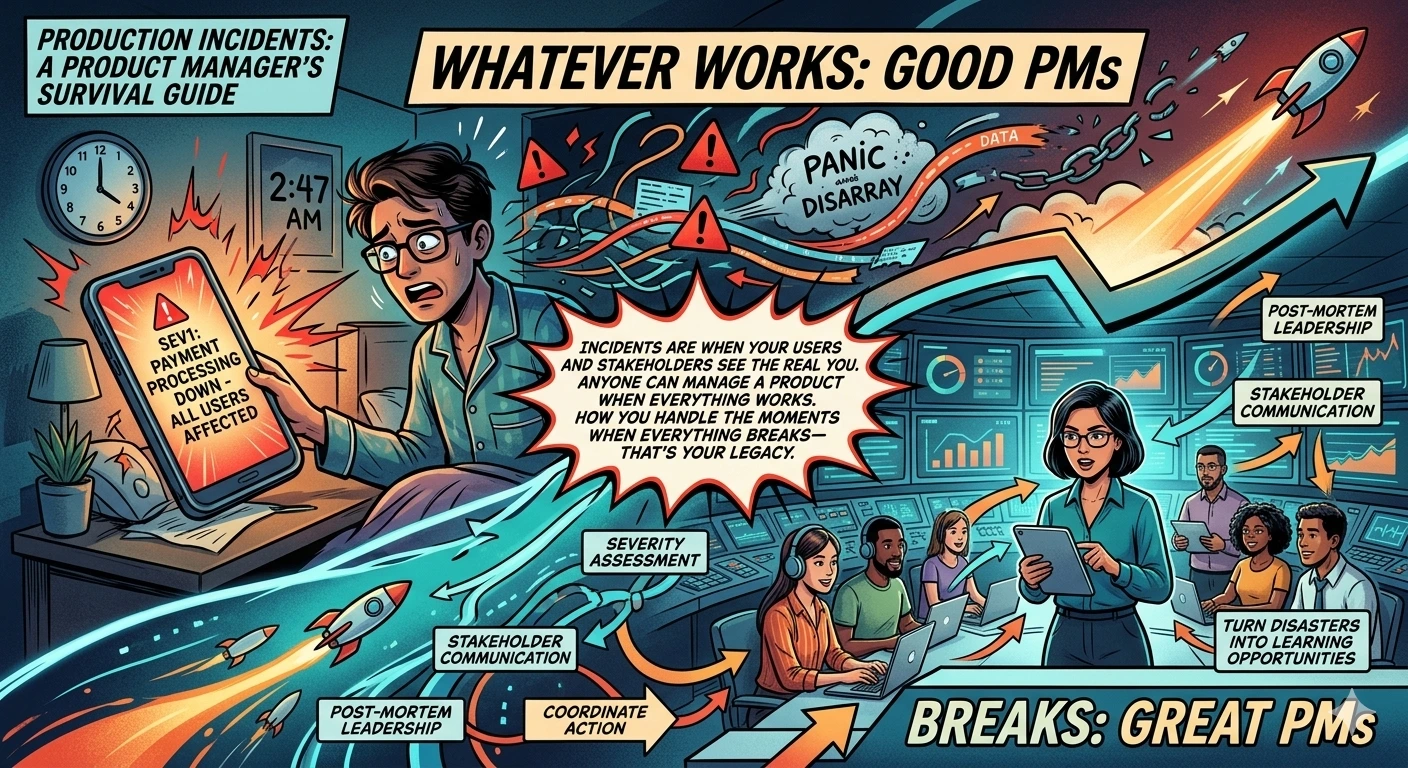
It’s 2:47 AM. Your phone screams with the unmistakable sound of your PagerDuty alert. You fumble for it, eyes barely adjusting to the harsh screen light. The message is brief but terrifying: “SEV1 - Payment processing down - All users affected.”
Your heart rate spikes. Payment processing down? For ALL users? In the next 30 seconds, your brain cycles through panic, denial, and then—hopefully—into action mode.
This is the moment that separates good Product Managers from great ones.
I’ve lived through this scenario more times than I care to remember. The SEV1 that took down checkout during Black Friday. The database migration that went sideways at 3 AM. The certificate expiration that nobody noticed until users started screaming on Twitter.
Each incident taught me something. But the biggest lesson? Your behavior during an incident matters as much as the technical fix.
The Naked Truth: Incidents are when your users and stakeholders see the real you. Anyone can manage a product when everything works. How you handle the moments when everything breaks—that’s your legacy.
This guide isn’t about fixing technical issues. Your engineers will handle that. This is about what YOU do when production breaks: how to communicate, how to coordinate, how to make decisions under pressure, and how to turn disasters into learning opportunities.
Let’s dive in.
Understanding Incident Severity Levels
Not all incidents are created equal. Before you can respond appropriately, you need to understand what you’re dealing with.
The Standard Severity Framework
Most engineering organizations use a severity scale. Here’s the typical framework:
SEV1 (Critical)
- Complete service outage or critical functionality broken
- Affects all or most users
- Immediate revenue/customer impact
- Requires all-hands-on-deck response
- Examples: Payment system down, complete site outage, data breach
SEV2 (High)
- Major functionality impaired but not completely broken
- Affects significant portion of users
- Workarounds exist but are painful
- Requires immediate response
- Examples: Search functionality degraded, checkout slow for 30% of users, specific feature broken
SEV3 (Medium)
- Non-critical functionality impaired
- Affects small portion of users or edge cases
- Reasonable workarounds exist
- Response within business hours acceptable
- Examples: Minor feature bug, performance degradation in specific region, non-critical API errors
SEV4 (Low)
- Cosmetic issues or minor inconveniences
- Minimal user impact
- Can be addressed in normal sprint work
- Examples: UI glitches, typos, non-blocking errors in logs
Why This Matters for PMs
Severity levels determine your level of involvement:
| Severity | PM Involvement | Communication | Escalation |
|---|---|---|---|
| SEV1 | Immediate, active role | All stakeholders immediately | Executive team, possibly CEO |
| SEV2 | Prompt involvement | Key stakeholders within 15 min | Engineering leadership |
| SEV3 | Awareness, monitoring | Team lead, support lead | Engineering manager |
| SEV4 | Ticket created | As needed | None |
The Naked Truth: Severity isn’t just about technical impact—it’s about business impact. A minor technical issue during peak sales hours might be SEV2. The same issue at 3 AM on a Tuesday might be SEV3. Context matters.
Common Severity Assessment Mistakes
Over-classifying: Declaring SEV1 for every issue. This desensitizes the team and wastes resources. Reserve SEV1 for genuine emergencies.
Under-classifying: Downplaying issues to avoid alarming stakeholders. This leads to delayed response and worse outcomes.
Not reassessing: An incident that starts as SEV3 can escalate to SEV1. Keep reassessing as you learn more.
Your Role in Severity Assessment
As a PM, you bring the business context that engineers might lack:
- Is this our peak usage time?
- Are major customers affected?
- Is there a press event or important demo happening?
- What’s the revenue impact per hour of downtime?
You should be part of the severity assessment conversation, providing context that helps the team calibrate appropriately.
The PM’s Role During Incidents
Let’s be crystal clear about what you should and shouldn’t do during incidents.
What You SHOULD Do
1. Provide Business Context
Engineers focus on technical aspects. You focus on business impact:
- Which customers are affected?
- What’s the revenue impact?
- Are there SLAs or contracts at risk?
- Is there PR exposure?
2. Communicate with Stakeholders
You’re the bridge between the incident response team and the outside world. This includes:
- Internal stakeholders (leadership, other teams)
- Customer-facing teams (support, sales, customer success)
- External stakeholders (major customers, possibly public)
3. Make Business Decisions
Some incident decisions are business decisions, not technical:
- Do we disable a feature to restore service?
- Do we communicate publicly about the issue?
- Do we offer compensation to affected customers?
- Do we need to invoke disaster recovery?
4. Coordinate Cross-Team Efforts
Incidents often require coordination across teams:
- Support needs talking points
- Sales needs customer updates
- Marketing might need to pause campaigns
- Legal might need to be involved
5. Document Everything
Keep a timeline of events, decisions, and communications. This feeds into the post-mortem and might be needed for compliance or legal reasons.
What You Should NOT Do
1. Don’t Interfere with Technical Response
The engineers are working on the fix. Your job isn’t to hover, ask “how much longer,” or suggest technical solutions. Let them work.
2. Don’t Add Pressure
They’re already under pressure. Adding “the CEO is asking” or “we’re losing $50K per hour” doesn’t help and might hurt.
3. Don’t Make Technical Decisions
Unless you’re also an engineer, you’re not qualified to decide which technical approach to take. Ask questions, understand tradeoffs, but let engineers decide.
4. Don’t Speculate
When communicating, stick to facts. Speculation creates confusion and can come back to haunt you.
The Incident Command Framework
Many organizations use an Incident Command System (ICS) adapted from emergency response. In this framework:
- Incident Commander (IC): Leads the response, makes final decisions
- Technical Lead: Directs the technical investigation and fix
- Communications Lead: Handles all internal and external communication
- Scribe: Documents everything
As a PM, you might serve as Communications Lead or support the IC with business decisions.
The Naked Truth: The worst incidents I’ve seen involved PMs who couldn’t resist micromanaging the technical response. Trust your engineers. Your job is different but equally important. Stay in your lane and excel there.
Communication Templates for Stakeholders
Communication during incidents is an art. You need to be clear, honest, and appropriately urgent without causing panic. Here are templates you can adapt.
Initial Internal Notification (First 15 minutes)
Subject: [SEV LEVEL] - Brief Description - STATUS

INCIDENT SUMMARY
- Issue: [Brief description]
- Severity: [SEV1/2/3]
- Impact: [Who/what is affected]
- Current Status: [Investigating/Mitigating/Resolved]
- Incident Lead: [Name]
- Incident Channel: [Slack channel/link]

NEXT UPDATE
- [Time, typically 15-30 minutes for SEV1/2]

DO
- [Specific actions recipients should take]
- [Specific actions recipients should NOT take]

DO NOT
- [Actions to avoid]

QUESTIONS
- Direct to: [Incident channel or designated person]
Stakeholder Update (Every 15-30 minutes for SEV1)
Subject: [SEV LEVEL] UPDATE #X - Brief Description

CURRENT STATUS
- Time since incident started: [X hours/minutes]
- Current status: [Investigating/Mitigating/Resolved]
- Progress update: [What we've learned, what we're trying]

IMPACT
- Users affected: [Number or percentage]
- Business impact: [Revenue, key customers, etc.]
- Customer reports: [Number of tickets, social mentions]

NEXT STEPS
- [What we're doing next]
- Next update in: [X minutes]

ADDITIONAL NOTES
- [Any other relevant information]
Customer-Facing Communication (Public Status Page)
TITLE: [Service Name] - Service Degradation

We are currently experiencing issues with [service name].
Impact: [Describe what users are experiencing]
Duration: Started at [time]
Status: Our team is actively investigating

We will provide updates every [X minutes] until resolved.

For the latest status, visit: [status page URL]
Resolution Communication
Subject: [RESOLVED] [SEV LEVEL] - Brief Description

INCIDENT SUMMARY
- Duration: [Start time] - [End time] (Total: X hours Y minutes)
- Root Cause: [Brief description - avoid speculation if not confirmed]
- Resolution: [What fixed it]

IMPACT SUMMARY
- Users affected: [Number/percentage]
- Business impact: [Revenue, customers, etc.]

NEXT STEPS
- Post-mortem scheduled: [Date/time]
- Follow-up actions: [Key items already identified]

PREVENTIVE MEASURES
- [Any immediate steps taken to prevent recurrence]

Thank you to everyone who responded to this incident.
Communication Principles
Be timely: Communicate early and often. Silence breeds panic and speculation.
Be honest: Don’t minimize the issue. Don’t sugarcoat. State the facts.
Be clear: Avoid jargon. Your audience might not be technical.
Be helpful: Tell people what they should do (or not do).
Be consistent: All channels should have the same message.
The Naked Truth: Your communication during an incident becomes part of the permanent record. Write everything as if it might be read by executives, customers, or lawyers. Because it might be.
Coordinating with Engineering During Crises
Your relationship with engineering during incidents can make or break the response. Here’s how to do it right.
Establish Communication Channels Before Incidents
Don’t figure out communication during the incident. Have established channels:
- Incident Slack channel: A dedicated channel for active incidents
- War room: A physical or virtual space for real-time collaboration
- On-call rotation: Know who’s on-call and how to reach them
- Escalation path: Know who to escalate to and when
The Information Flow
Here’s how information should flow:
Detection → Engineering response → Assessment → PM notification → Stakeholder communication
                    ↑                                          ↓
                    └────────── Updates from PM ←─────────────┘
You need to be in the loop but not in the way. Some practices:
1. Join the incident channel silently
When you join, don’t immediately ask questions. Read the history, understand the situation, then ask focused questions.
2. Ask the right questions
Good questions:
- “What’s the current impact?” (factual)
- “What’s blocking progress?” (helpful)
- “What do you need from me?” (supportive)
Bad questions:
- “When will this be fixed?” (adds pressure)
- “How did this happen?” (distraction during response)
- “Why didn’t we catch this earlier?” (blame, not helpful)
3. Offer help, don’t demand it
“This is the information I have about customer impact. Let me know if this changes your priorities.” vs. “You need to prioritize the payment issue because customers are complaining.”
4. Create space for them to work
Sometimes the best thing you can do is handle all the non-technical coordination so engineers can focus entirely on the fix.
When to Escalate
Sometimes you need to escalate to leadership or bring in additional resources:
Escalate when:
- The incident is getting worse, not better
- You need decisions that are above your pay grade
- Additional teams or resources need to be mobilized
- There are major customer or PR implications
- The technical team is stuck and needs fresh perspectives
How to escalate:
- Briefly summarize the situation
- State what you need
- Provide context on why it’s important
- Be specific about what you’re asking for
Managing Customer Escalations
VIP customers or major accounts might require special handling:
- Identify affected VIPs early
- Proactively reach out through account teams
- Provide dedicated communication channels if appropriate
- Coordinate any compensation discussions
- Follow up personally after resolution
The Naked Truth: The engineers fixing the incident are stressed, tired, and under pressure. Be the calm in the storm. Your job is to make their job easier, not to add to their burden.
Post-Incident Review Best Practices
Once the incident is resolved, the real work begins. Post-incident reviews (also called post-mortems) are where learning happens.
The Blameless Post-Mortem
The most important principle: blamelessness.
The goal is to understand what happened and prevent recurrence, not to assign blame. When people fear blame, they hide information. When they hide information, you can’t prevent future incidents.
Language matters:
- “The engineer deployed without testing” → “The deployment process didn’t have adequate testing gates”
- “Someone deleted the production database” → “The database deletion command didn’t have confirmation safeguards”
Focus on systems and processes, not individuals.
Post-Mortem Structure
1. Incident Timeline
Document what happened, when, and by whom:
- Detection time
- Response start time
- Key diagnostic steps
- Attempted fixes
- Resolution time
2. Impact Analysis
Quantify the impact:
- How many users were affected?
- How long was the service degraded?
- What was the revenue impact?
- What was the reputational impact?
3. Root Cause Analysis
This is the heart of the post-mortem. Common techniques:
5 Whys:
- Why did the service go down? Database connection exhausted
- Why was the connection exhausted? Query was slow
- Why was the query slow? Missing index
- Why was the index missing? Not added during schema migration
- Why wasn’t it added during migration? Migration checklist didn’t include index verification
Fishbone Diagram: Categories: People, Process, Technology, Environment
For each category, ask what factors contributed.
4. Contributing Factors
Rarely is there a single cause. Usually multiple factors align:
- Technical cause (the immediate trigger)
- Process gap (why it wasn’t caught)
- Human factors (why someone made a mistake)
- Organizational factors (why systems weren’t in place)
5. Action Items
Specific, assigned, and tracked:
- What will we do to prevent recurrence?
- What will we do to detect similar issues earlier?
- What will we do to respond faster next time?
Each action item needs:
- Clear description
- Owner
- Due date
- Tracking mechanism
Your Role in Post-Mortems
As a PM, you contribute:
Business Context:
- Impact quantification
- Customer perspective
- Business implications
Action Item Ownership:
- Some action items will be product-related (not technical)
- Examples: Customer communication improvements, documentation updates, feature changes
Prioritization:
- Help prioritize action items against other product work
- Balance prevention investment against other priorities
Follow-Up:
- Ensure action items actually get done
- Track trends across incidents
The Naked Truth: A post-mortem without action items is just storytelling. A post-mortem with action items but no follow-up is theater. The value is in the learning and improvement that follows.
Building Incident Response Playbooks
The best time to prepare for incidents is before they happen. Playbooks help your team respond faster and more consistently.
What Should Be in Your Playbook
1. Severity Classification Guide
- Clear criteria for each severity level
- Examples of each severity
- Who to notify for each level
2. Communication Templates
- All the templates we discussed earlier
- Contact lists for different scenarios
- Approval workflows for external communication
3. Role Assignments
- Who is incident commander?
- Who handles communications?
- Who is the technical lead?
- Backup assignments for each role
4. Escalation Paths
- When to escalate
- Who to escalate to
- How to escalate (phone, page, email)
5. Technical Runbooks
- Common incident types and responses
- Diagnostic commands
- Known workarounds
6. Customer Playbooks
- How to identify affected customers
- Communication cadence for different customer tiers
- Compensation guidelines
Creating and Maintaining Playbooks
Creating playbooks:
- Start with your most common incident types
- Write what you know from experience
- Don’t try to cover everything at once
Maintaining playbooks:
- Review after every major incident
- Update based on what you learned
- Practice regularly (incident simulations)
Practice Makes Perfect
Playbooks are useless if nobody knows they exist. Regular practice:
Tabletop exercises: Walk through a hypothetical incident scenario. Discuss what each person would do.
Game days: Simulate a real incident in a controlled environment. Practice the full response.
Blameless post-mortem reviews: Periodically review past incidents and playbooks together.
The Naked Truth: The first time you use a playbook should not be during a real incident. Practice until the response is muscle memory. When the real thing happens, you want to be executing, not reading.
Preventing Incidents: PM’s Proactive Role
The best incident is the one that never happens. Here’s how PMs can prevent incidents proactively.
During Feature Development
1. Risk Assessment
For every feature, ask:
- What could go wrong?
- What’s the blast radius if it fails?
- How will we know if something goes wrong?
- What’s the rollback plan?
2. Feature Flags
Advocate for feature flags on all significant changes:
- Gradual rollouts reduce blast radius
- Instant disable capability if issues arise
- A/B testing potential before full launch
3. Monitoring Requirements
Every feature should have monitoring:
- What metrics indicate health?
- What alerts should be set up?
- What dashboards need to be updated?
4. Documentation
Ensure documentation is complete:
- Runbooks for the new feature
- Updated system diagrams
- Known limitations and edge cases
During Planning
1. Account for Technical Debt
Allocate capacity for:
- Reliability improvements
- Security patches
- Performance optimization
- Deprecation of old systems
2. Balance Speed and Stability
Use error budgets (from SRE practices):
- If error budget is healthy, you can take more risks
- If error budget is depleted, prioritize stability
3. Code Review Standards
Advocate for:
- Adequate code review time
- Review checklist that includes reliability considerations
- Testing requirements
During Releases
1. Release Criteria
Insist on clear release criteria:
- What tests must pass?
- What performance thresholds?
- What sign-offs are required?
2. Gradual Rollout
For significant changes:
- Canary deployments (small percentage first)
- Monitor closely during rollout
- Have rollback criteria defined upfront
3. Post-Release Monitoring
After release:
- Monitor key metrics
- Have someone on-call for the feature
- Schedule post-release check-in
The Naked Truth: You can’t prevent every incident. But you can make incidents less frequent, less severe, and easier to recover from. Every hour you invest in prevention pays off during the next incident.
Learning from Incidents: Continuous Improvement
Incidents are expensive learning opportunities. Don’t waste them.
Incident Trend Analysis
Look for patterns across incidents:
Common themes:
- Same system failing repeatedly?
- Same type of error occurring?
- Same time of day/week?
- Same team involved?
Create a trend dashboard:
- Incidents by severity over time
- Incidents by system/team
- Time to resolution trends
- Action item completion rates
Building Institutional Knowledge
Incident database:
- Store all post-mortems in a searchable location
- Tag incidents by system, type, cause
- Make it easy to find similar past incidents
Knowledge sharing:
- Share learnings at team meetings
- Rotate post-mortem facilitation
- Create a “lessons learned” newsletter
Onboarding:
- Include incident history in new engineer onboarding
- Review past incidents as training material
- Pair new PMs with experienced incident responders
Measuring Improvement
Key metrics:
- MTTD (Mean Time to Detect): How quickly do we notice issues?
- MTTR (Mean Time to Resolve): How quickly do we fix issues?
- Incident frequency: Are we having more or fewer incidents?
- Severity distribution: Are incidents getting less severe?
- Action item completion: Are we actually doing the work to improve?
Track these over time and set improvement goals.
Creating a Learning Culture
The best teams treat incidents as learning opportunities, not failures to be hidden:
- Celebrate good incident responses publicly
- Share post-mortems widely (internally)
- Encourage transparency about mistakes
- Recognize people who raise concerns early
The Naked Truth: If your team hides incidents or avoids reporting them, you have a culture problem, not a process problem. Fear of blame is the enemy of improvement. Fix the culture first.
Incident Response Checklist for PMs
Here’s a practical checklist to keep handy. Save this. Print it. Put it on your wall.
At Incident Detection
- Assess severity level (SEV1/2/3/4)
- Join incident response channel
- Understand current status and impact
- Identify who’s leading the technical response
- Determine your role (communications, coordination, etc.)
During Active Incident
- Provide business context to responders
- Communicate with stakeholders (use templates)
- Update stakeholders at regular intervals
- Document timeline of events
- Handle cross-team coordination
- Manage customer escalations
- Escalate to leadership if needed
At Resolution
- Confirm resolution with technical team
- Send resolution communication
- Update status page
- Schedule post-mortem
- Collect initial feedback from stakeholders
Post-Incident
- Attend post-mortem meeting
- Contribute business impact analysis
- Own product-related action items
- Follow up on action item completion
- Update playbooks if needed
- Thank everyone who responded
Proactive (Ongoing)
- Know your incident response process
- Keep contact lists updated
- Participate in incident simulations
- Review incident trends monthly
- Advocate for reliability improvements
- Build relationships with engineering leads
Conclusion: Embrace the Inevitable
Production incidents are inevitable. Systems will fail. Things will break. The question isn’t whether you’ll face incidents—it’s how you’ll handle them when they come.
The Product Managers who excel during incidents are the ones who:
- Understand their role and stay in their lane
- Communicate clearly and honestly
- Support their engineering team rather than adding pressure
- Learn from every incident and drive improvement
- Build systems and culture that prevent future incidents
The Naked Truth: An incident is a terrible thing to waste. Every incident is a chance to learn, improve, and build a more resilient product and team. The best Product Managers I know don’t just survive incidents—they use them to get better.
The next time your phone screams at 2:47 AM, take a breath. Remember what you’ve learned here. And know that how you handle the next few hours will define you as a Product Manager.
Now go create your incident playbooks. Before you need them.
Want to learn more about building reliable products? Check out my guide on DevOps for Product Managers: The Complete 2025 Update for more on how DevOps practices can help prevent incidents before they happen.
About the Author
Karthick Sivaraj is the founder of The Naked PM blog and a Product Manager who’s survived his fair share of 2 AM pages. He’s led incident response for products serving millions of users and believes that how you handle failure matters as much as how you celebrate success. Connect with him on LinkedIn or Twitter for more honest takes on product management and DevOps.
💬 Join the Conversation